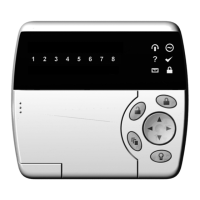
CyberSuite™ LED Keypad User Manual
16
ARMING/DISARMING
To take full advantage of your CyberSuite™ System, you
should familiarize yourself with the different arming
methods.
EXIT DELAY
After entering a valid arming sequence the exit delay time
will provide you with enough time to exit the protected area
before the system arms. The keypad will generate a beep-
beep tone repeatedly during the exit delay period. The tone
will increase in frequency to indicate that only ten seconds
remains.
DISARMING
To disarm an armed system or an alarm, enter your user
code. An entry point, like the front door, will be
programmed with an entry delay time. When an entry point
is opened, the keypad will emit a continuous audible tone
until you disarm the system. Your CyberSuite™ system will
not generate an alarm until this timer elapses. All user
codes can be used to disarm the system.
Deactivating Alarm
To deactivate an alarm enter your [USER CODE]. This
will also disarm the system if it was armed.
Disarming Your System
1. Enter through a designated entry point (Entry Door),
the entry delay time will start and the keypad will emit
a continuous audible tone.


 To Next Page