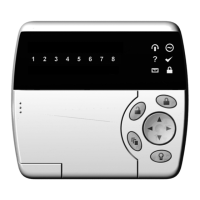
CyberSuite™ LED Keypad
User Manual
25
CONFIGURATION
The CyberSuite™ system has many options that are enabled
by your installer. The following lists the options and how
your system is configured. Use this location to write your
user names and any information about your system.
ZONE DESCRIPTION
The following lists the zones in your system and how each
zone is configured.
ZONE ZONE NAME FORCE STAY BYPASS
01 ZONE 1
5 5 5
02 ZONE 2 5 5 5
03
04
FIRE ZONE
The following lists the fire zone configuration for your
system.
Enabled Disabled
Fire Zone
Delayed Fire Zone
Your fire zone is located on zone ____________ and
operates with a delay of _____ seconds.


 To Next Page