EasyManua.ls Logo

CyberPower PFC Series - User Manual

CyberPower PFC Series
16 pages
Print Icon
To Next Page IconTo Next Page
Loading...
User Manual of Product 1:
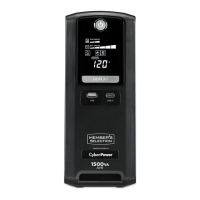
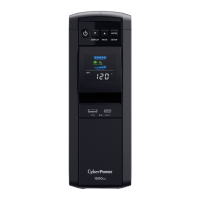
CyberPower CP1500PFCLCD PFC Sinewave UPS System,
1500VA/1000W, 12 Outlets, AVR, Mini Tower, Black
User Manual of Product 2:
CyberPower EC650LCD Ecologic Battery Backup & Surge
Protector UPS System, 650VA/390W, 8 Outlets, ECO Mode,
Compact Uninterruptible Power Supply

Questions and Answers

  • J
    Judy BallJul 29, 2025
    What to do if my CyberPower PFC UPS will not turn on?
    • N
      Nathan ThompsonJul 30, 2025
      If your CyberPower UPS doesn't turn on, there are several possible reasons. First, the on/off switch might be preventing rapid cycling. Turn the UPS off, wait 10 seconds, and then turn it back on. Ensure the UPS is connected to a working 110/120V 60Hz outlet. Also, the USB cable must be connected to the UPS unit and an open USB / serial port on the back of the computer, using the cable that came with the unit.
  • S
    Suzanne JonesAug 5, 2025
    What to do if my CyberPower PFC doesn't perform the expected runtime?
    • K
      kellyjohnsonAug 5, 2025
      If your CyberPower UPS isn't running as long as expected, the battery might not be fully charged. Try recharging the battery by leaving the UPS plugged in.
  • V
    Valerie AlvaradoAug 11, 2025
    Why is the circuit breaker button projecting from the back of my CyberPower PFC?
    • S
      Stephanie CarrollAug 11, 2025
      If the circuit breaker button is projecting from the back of your CyberPower UPS, it means the circuit breaker has been tripped due to an overload. To fix this, turn the UPS off and unplug some equipment. Wait 10 seconds, then reset the circuit breaker by pushing the button in. After that, turn the UPS back on.
  • J
    Jeanne AllenAug 17, 2025
    What to do if PowerPanel is inactive on my CyberPower PFC UPS?
    • S
      Shaun JacksonAug 17, 2025
      If PowerPanel is inactive and all icons are grayed out, it could be that the unit isn't providing battery power. To resolve this, shut down your computer, turn the UPS off, wait 10 seconds, and then turn the UPS back on. This should reset the unit. Also, ensure you are using the serial cable that came with the unit.
  • C
    Christopher ThomasAug 22, 2025
    What to do if USB power ports are not providing power on my CyberPower UPS?
    • W
      William MartinezAug 22, 2025
      The USB power ports on your CyberPower UPS may stop providing power if the total current draw of connected devices exceeds 3.1A, due to the Over Current Protection design. To resolve this, turn the UPS off, unplug at least one device connected to the USB power port, and then turn the UPS back on.

Summary

Important Safety Precautions

Environmental and Usage Safety

Precautions for installation environment, battery handling, disposal, and usage restrictions.

Electrical Safety Warnings

Warnings related to electrical shock, grounding, circuit protection, and internal hazards.

Installing the PFC Sinewave UPS

PFC Sinewave UPS Basic Operation

Replacing the UPS Battery

Battery Replacement Procedure

Step-by-step instructions for safely replacing the UPS battery unit.

Troubleshooting Common Issues

Problem, Cause, and Solution Guide

Provides common problems, their possible causes, and solutions for UPS operation.

PFC Sinewave UPS Technical Specifications

Installing the Ecologic UPS System

Hardware Installation Steps

Steps for connecting the UPS, peripherals, and initial charging for Ecologic models.

Ecologic UPS Basic Operation

Ecologic UPS Troubleshooting Guide

Troubleshooting and Solutions

Common problems, causes, and solutions for Ecologic UPS models.

Ecologic UPS Technical Specifications

CyberPower PFC Series Specifications

General IconGeneral
USB Charging PortsNo
Typical Recharge Time8 Hours
Communication PortUSB
Operating Temperature32 °F to 104 °F (0 °C to 40 °C)
Humidity0-95% non-condensing
TopologyLine Interactive
Data Line ProtectionYes
Input Voltage120V
Output Voltage120V
Battery TypeSealed Lead-Acid
Safety ApprovalsUL, cUL, FCC

Related product manuals