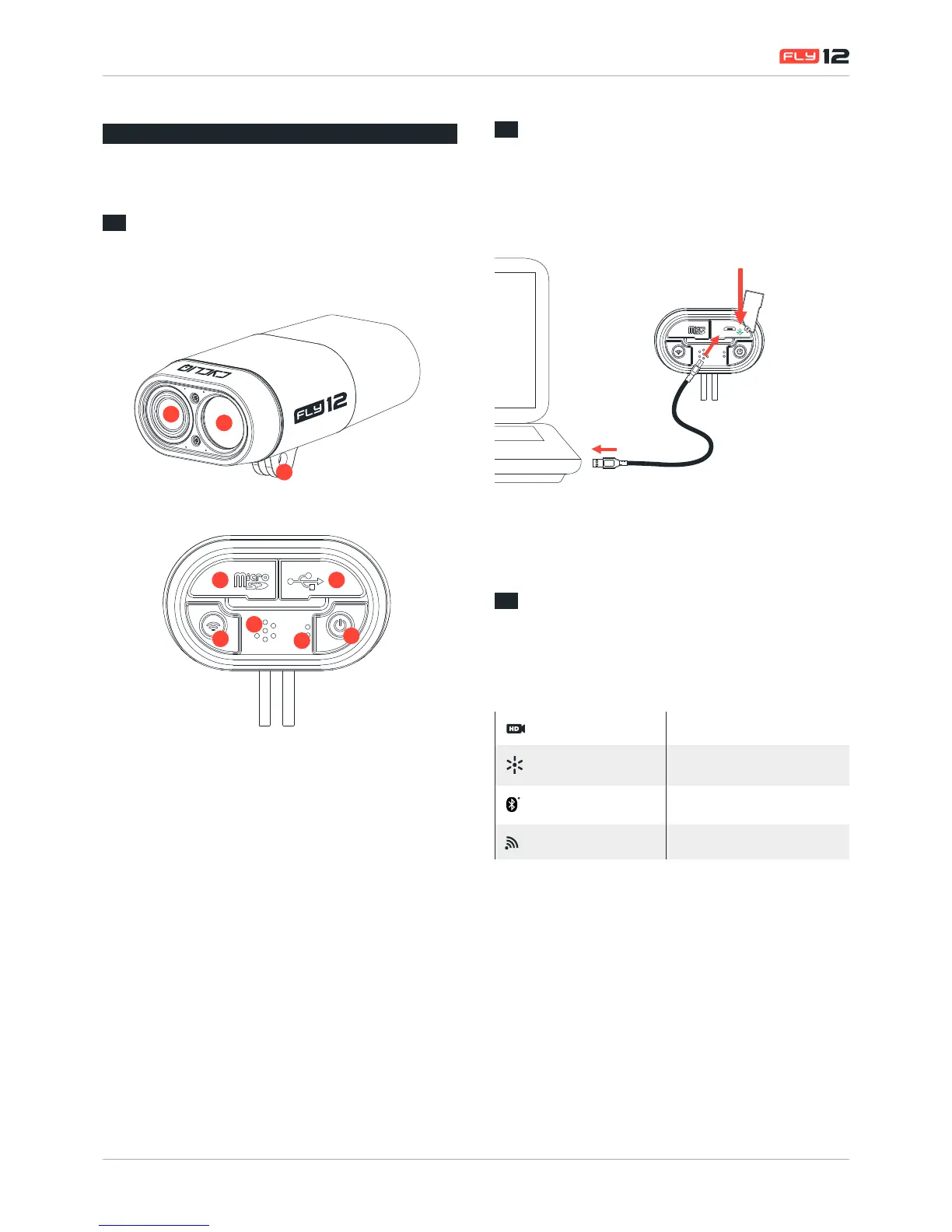
d
F
G
H
I
e
A. HD Camera
B. 400 Lumen Light
C. Mounting Bracket
D. MicroSD Slot
E. Micro USB Port
F. WiFi/Capture Button
G. Speaker
H. Microphone
I. Power/Light Button
1.2
Before using your Fly12
Fly12 comes with a pre-charged battery, however Cycliq
recommends connecting the device to a PC/Mac and ensuring
the green charge light is displayed before using your device.
1.3
Default Settings
Out of the box your Fly12 powers up with the
following settings.
Video Resolution 1280x720p @30fps
Light Modes
(Solid, Flash, Pulse,Studio)
High / Medium / Low
Bluetooth Discoverable
WiFi Off


 To Next Page