Getting Started — 5 of 15
GETTING STARTED
1.8
Other uses of the power button
Light:
Press the power button to cycle through the light modes.
1.9
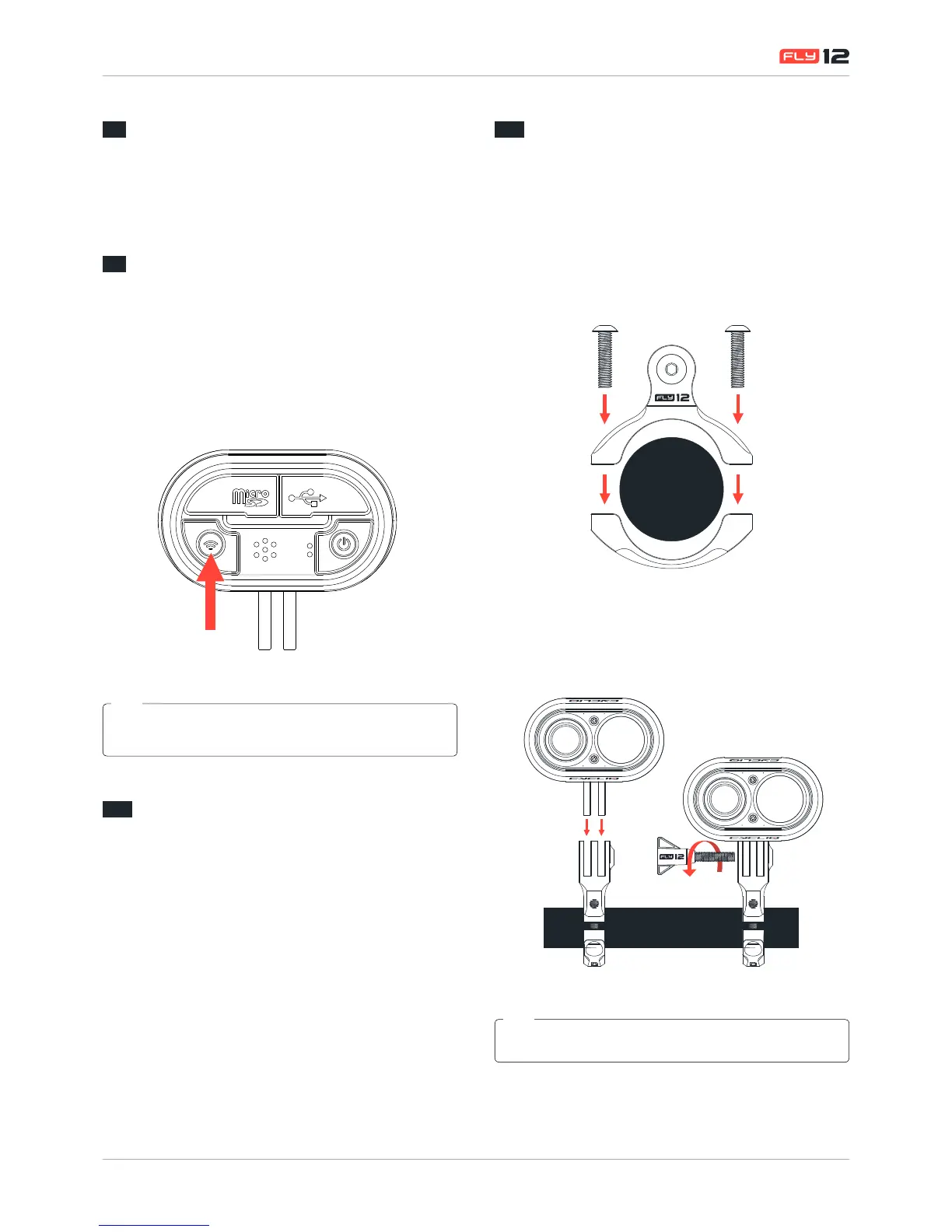
WiFi on/off
To power on WiFi:
Press the WiFi button for 1 second and release.
To power off:
Press the WiFi button for 1 second and release.
The WiFi button should be activated when using the Review/Edit
function of the CycliqPlus app.
TIP
1.10
Other uses of the WiFi button
Capture/Incident protection:
If you witness an event that you want to capture and retain
when riding, simply press the WiFi button briey. This will
lock the current and previous le and prevent overwriting.
1.11
Mounting Fly12 with the supplied
universal mount
Fly12 can be mounted either above or below your handlebars.
To use the universal mount (supplied with your Fly12) follow
these simple steps.
1. Attach the universal mount at the desired location and
fasten the mount using the 2 xing screws.


 To Next Page