EasyManua.ls Logo

CyClone SC300 - User Manual

CyClone SC300
40 pages
Print Icon
To Next Page IconTo Next Page
Loading...
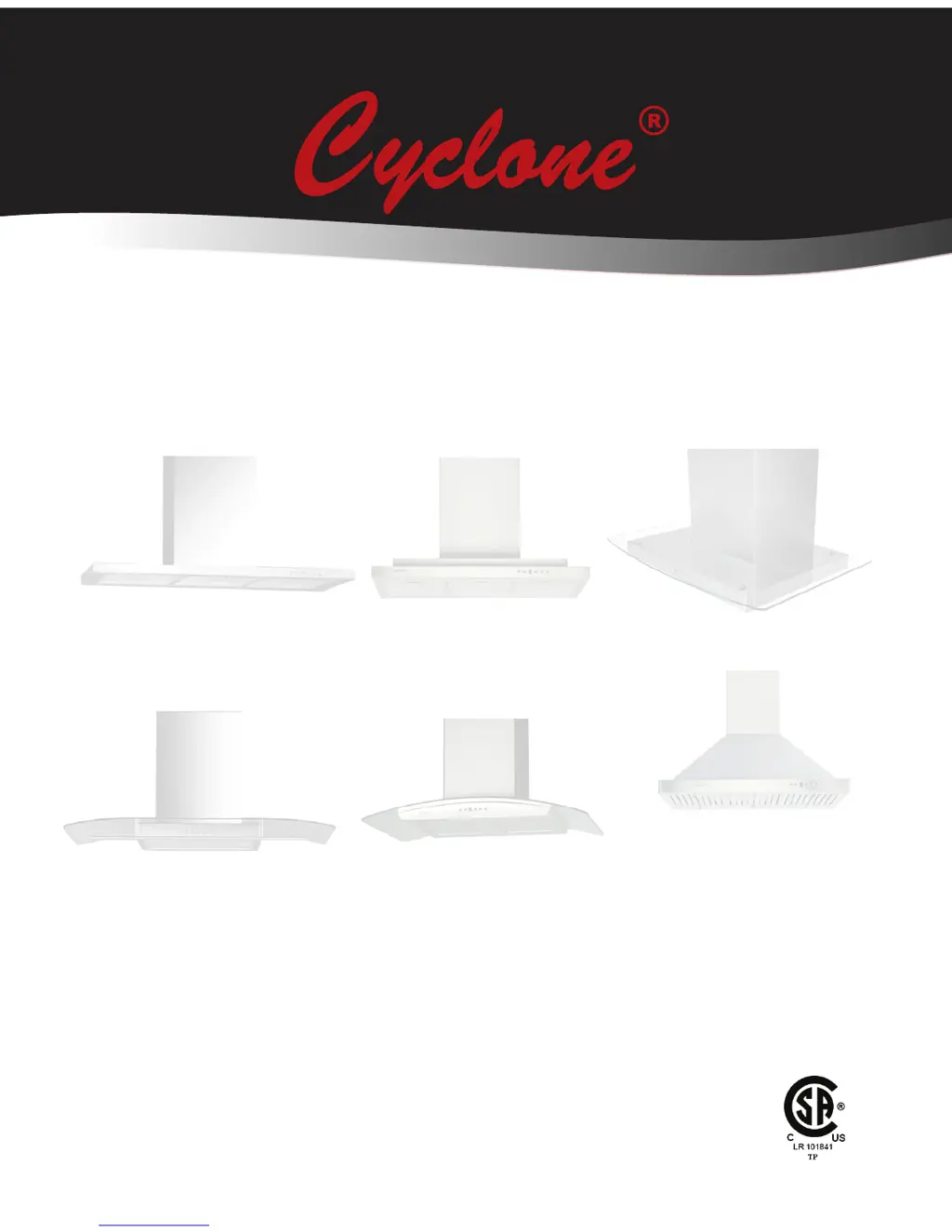
Self-Cleaning Range Hoods
Models:
Installation and Operation Instructions
Please read all instructions before installing and operating.
All wiring and installation must be in accordance with CEC, NEC and local electrical codes.
READ AND SAVE THESE INSTRUCTIONS
Wall Mount and Island Range Hoods
SC(B)500, SC(B)501, SC(B)502, SC(B)503, SC510,
SC(B)513, SC(B)514, SI(B)323, SI(B)520, SI(B)521,
SI(B)522, SI(B)523, SI530, SI531
SC322, SCB722, SC712, SC(B)715, SCB717,
SCB718, SC720, SC(B)722

Other manuals for CyClone SC300

Questions and Answers

  • R
    Richard YoungAug 17, 2025
    Why is my CyClone Ventilation Hood not venting out properly?
    • A
      Alex WashingtonAug 17, 2025
      If your CyClone Ventilation Hood isn't venting properly, it might be hanging too high—ensure it's 28-36 inches above the range. Also, check for and remove any blockages in the ductwork or duct opening. Finally, verify that you're using at least 6-inch ductwork.
  • J
    james13Aug 20, 2025
    What to do if the CyClone Ventilation Hood light is on but the motor doesn't turn?
    • S
      Scott RussellAug 20, 2025
      If the light on your CyClone Ventilation Hood indicates power but the motor isn't turning, the motor may be defective or seized, requiring replacement or servicing. Another possibility is a seized switch button, which can be resolved by loosening the switch mounting screws from the back. Lastly, the control panel or motherboard could be defective, necessitating replacement or servicing.
  • S
    Stephen SmithAug 22, 2025
    How to troubleshoot a CyClone SC300 Ventilation Hood that doesn't work after installation?
    • C
      Charles BarnesAug 23, 2025
      If your CyClone Ventilation Hood unit doesn’t work after installation: 1. Make sure the circuit breaker and unit are turned ON. 2. Check that the power line and cable locking connector are properly connected to the unit. 3. Loosen the switch mounting screws from the back of the switch. 4. Ensure the wiring between the control panel and motherboard is properly connected. 5. Consider changing the control panel or motherboard if they are defective.
  • W
    William DavisAug 26, 2025
    Why is my CyClone Ventilation Hood vibrating?
    • J
      John JenningsAug 26, 2025
      If your CyClone Ventilation Hood is vibrating, ensure the motor is securely tightened in place. Check the blower wheel for damage and replace if necessary. Verify the hood is securely installed. Also, inspect the venting duct for proper size and any blockages in the duct opening or ductwork.
  • P
    Philip MendezAug 28, 2025
    What to do if CyClone Ventilation Hood motor works but lights don't turn on?
    • K
      Kimberly HuntAug 28, 2025
      If the motor in your CyClone Ventilation Hood works, but the lights do not turn on, first, try changing the halogen bulb. If that doesn't work, ensure the light bulb is tightened. If the issue persists, the wire connector for the lights may be loose, requiring assistance. Alternatively, the light transformer might be defective and need replacement, possibly requiring servicing.
  • R
    Rhonda RobertsAug 31, 2025
    What to do if my CyClone SC300 Ventilation Hood doesn't work after installation?
    • L
      lauracallahanAug 31, 2025
      If your CyClone Ventilation Hood isn't working after installation, there are several potential causes. First, ensure that the circuit breaker and the unit are turned ON. Check the power connection to ensure it's properly connected. If the switch button seems stuck, loosen the switch mounting screws from the back. Also, verify that the wiring between the control panel and motherboard is properly connected. If none of these steps work, the control panel or motherboard may be defective and require replacement.
  • M
    Matthew AllenSep 2, 2025
    What to do if the light indicates power ON but motor doesn’t turn in my CyClone SC300 Ventilation Hood?
    • J
      Jonathan WilliamsSep 3, 2025
      If the light indicates power is on, but the motor in your CyClone Ventilation Hood doesn’t turn, the motor itself might be defective or seized, requiring replacement. Another potential issue is a seized switch button, in which case you should loosen the switch mounting screws from the back of the switch. The control panel or motherboard could also be defective and need to be changed.
  • A
    Allison AguilarSep 5, 2025
    How to fix lights that do not turn on in my CyClone SC300 Ventilation Hood, even though the motor works?
    • K
      Kyle ConwaySep 5, 2025
      If the motor in your CyClone Ventilation Hood works, but the lights do not turn on, start by changing the halogen bulb, as it may be defective. Also, ensure the light bulb is tightened properly. If these steps do not resolve the issue, the light transformer may be defective and require replacement.
  • A
    alexdavidsonSep 8, 2025
    What to do if my CyClone SC300 Ventilation Hood vibrates?
    • Z
      zjuarezSep 8, 2025
      If your CyClone Ventilation Hood is vibrating, several issues could be the cause. Start by ensuring the motor is securely tightened in place. Check the blower wheel for any damage and replace it if necessary. Verify that the hood is properly installed and secured. Lastly, inspect the venting duct for any blockages or if it's too small; check the venting duct, wall cap, or roof cap.
  • D
    Danielle MunozSep 12, 2025
    Why does the light turn on but the motor doesn't turn on my CyClone Ventilation Hood?
    • E
      ebyrdSep 12, 2025
      If the light on your CyClone Ventilation Hood is on, but the motor isn't turning, the motor might be defective or seized, requiring replacement. Alternatively, the switch button could be seized; try loosening the switch mounting screws from the back of the switch. The control panel or motherboard could also be defective, requiring replacement.

CyClone SC300 Specifications

General IconGeneral
Airflow Capacity300 CFM
Duct Size6 inches
MaterialStainless Steel
LightingLED
Noise Level65 dB
Power Consumption120 W
Number of Fan Speeds3
Ducting Diameter6 inches
Dimensions (W x D x H)30 x 20 x 15 inches
Installation Height Range24-30 inches above cooktop

Related product manuals