DS103 DISPLAY GUIDE
06
40
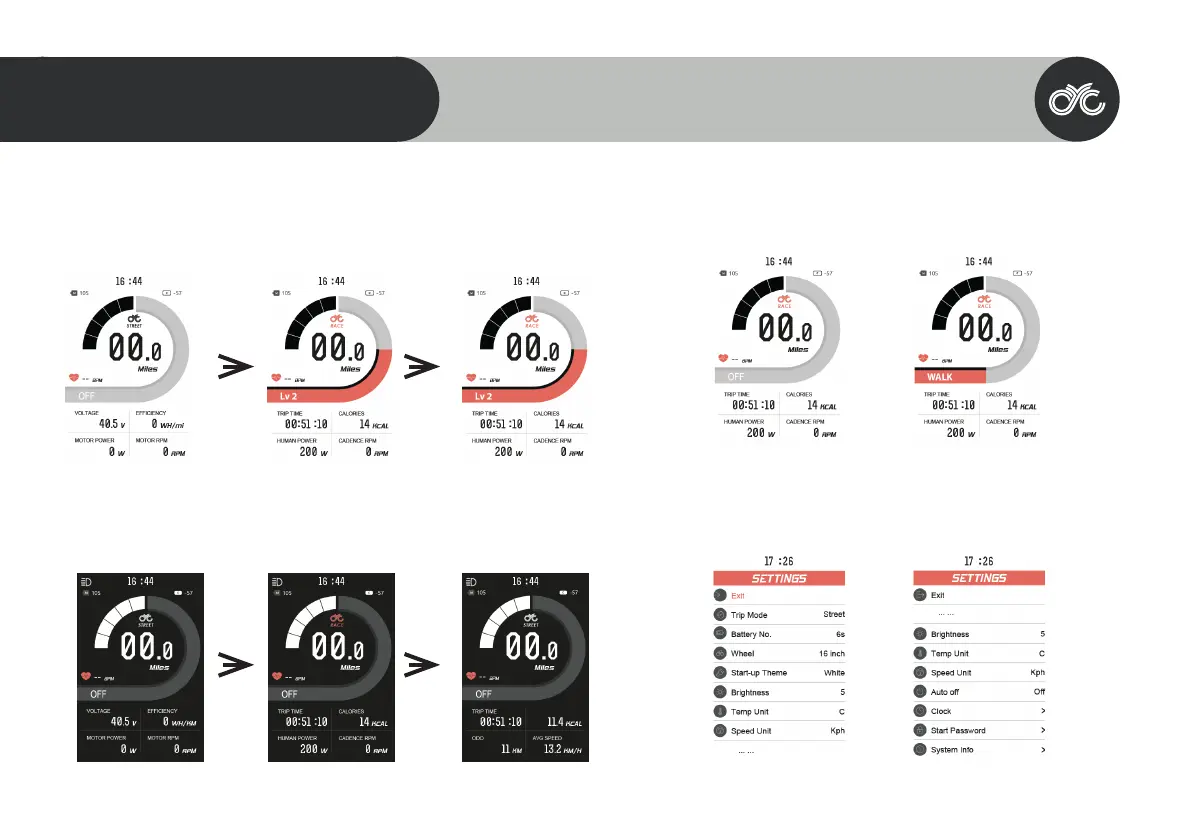
Assist Level Operating
Press the UP/ DOWN button to change the assist level between level 1, 2, and 3. Note that “OFF” means no
motor assistance will be given.
Dark & Light Themed Dashboard
Long press the UP button to switch between light and dark themed dashboard.
Walk Assist
Hold in the DOWN button to activate walk assist. Note that it takes 3 seconds to activate & will deactivate
immediately when the button is released.
Settings
Long press the MENU button within 15 seconds of switching on the display to enter the “Settings” page.
Note that once the system has been activated for longer than 15 seconds, you will need to restart the motor
system to enter the settings menu.



 To Next Page