DS103 DISPLAY GUIDE
06
41
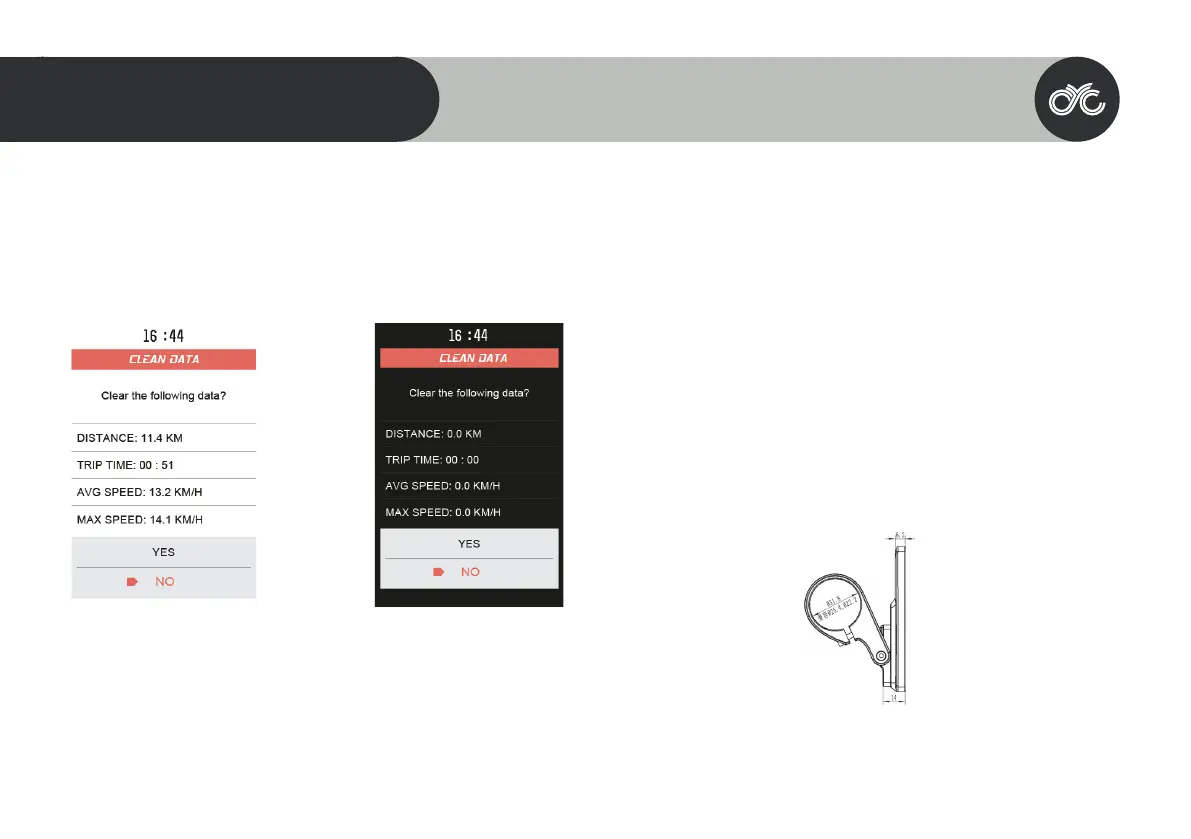
Clean Trip Data
Wait 15 seconds after starting up the motor system to enter the “Clean Data” menu. Long press the MENU button to clear the
previous trip data. Please note that the trip data does not automatically clear once you restart the motor system. This is a manual
process.
Error Codes
In certain circumstances, an error code may appear on your display. Contact technical_support@cycmotor.com *Error codes TBC
Installation
1. Determine if you need to select the corresponding mounting clamp and rubber clip ring
according to the diameter of your handlebar (Applicable handlebar specications:Φ22.2 ; Φ25.4
; Φ31.8).
2. Open the display lock clamp and insert the rubber clip (if applicable) into the correct position of
the lock clamp.
3. Set the rubber ring in the bracket (if applicable) then assemble on the middle of the handlebar.
You can adjust the angle of the display to make the display screen more visible when riding. After
xing the angle, tighten the screws. Tightening torque is 1N.m.
4. Open the lock ring of the switch and set it in the appropriate position on the left side of the
handlebar. Adjust the angle and position of the switch as needed in order to ensure that you can
operate the switch easily.
5. Fix and tighten the handlebar xing screw with M3Hex wrench (locking torque is 0.8Nm).
Note: Damage caused by excessive torque is not covered by warranty.
Compatibility
The clamps are suitable for 3x dierent handlebar sizes: 31.8mm, 25.4mm,



 To Next Page