100
Cypress Confidential
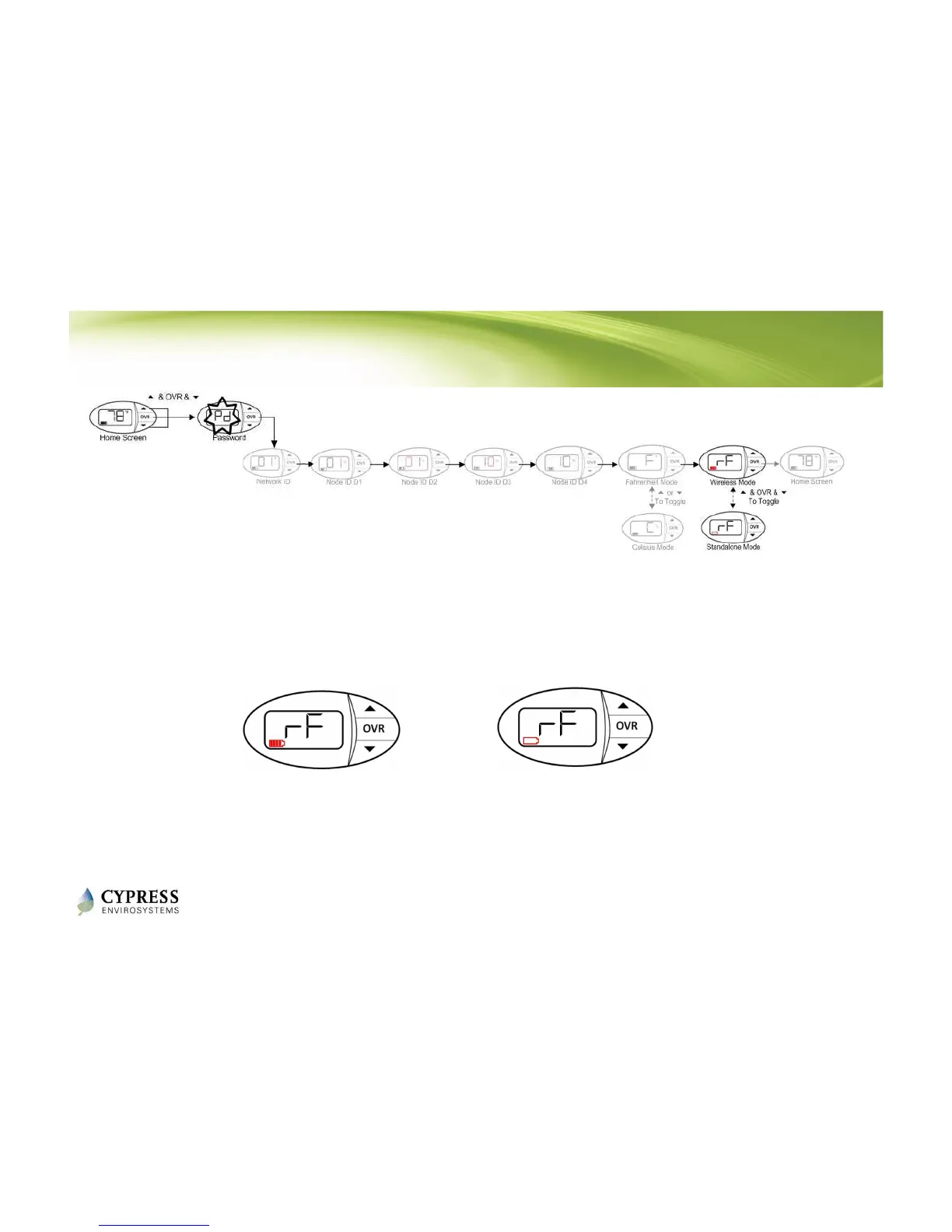
Configuring the WPT for Standalone Mode
1. Press all three buttons simultaneously to enter programming mode.
2. See section 2.2.1 in the WPT Installation Manual for the password
3. Press OVR six times to enter wireless mode screen.
4. Press all three buttons simultaneously to toggle between wireless and standalone modes.
5. Press OVR to confirm.
NOTES:
• The WPT will exit programming mode automatically if there is no action for 1 minute.
• This mode is not a power saving mode
Wireless mode
Standalone mode
Reference: WPT Installation Manual - Section 2.2.4



 To Next Page