97
Cypress Confidential
Checking Signal Strength
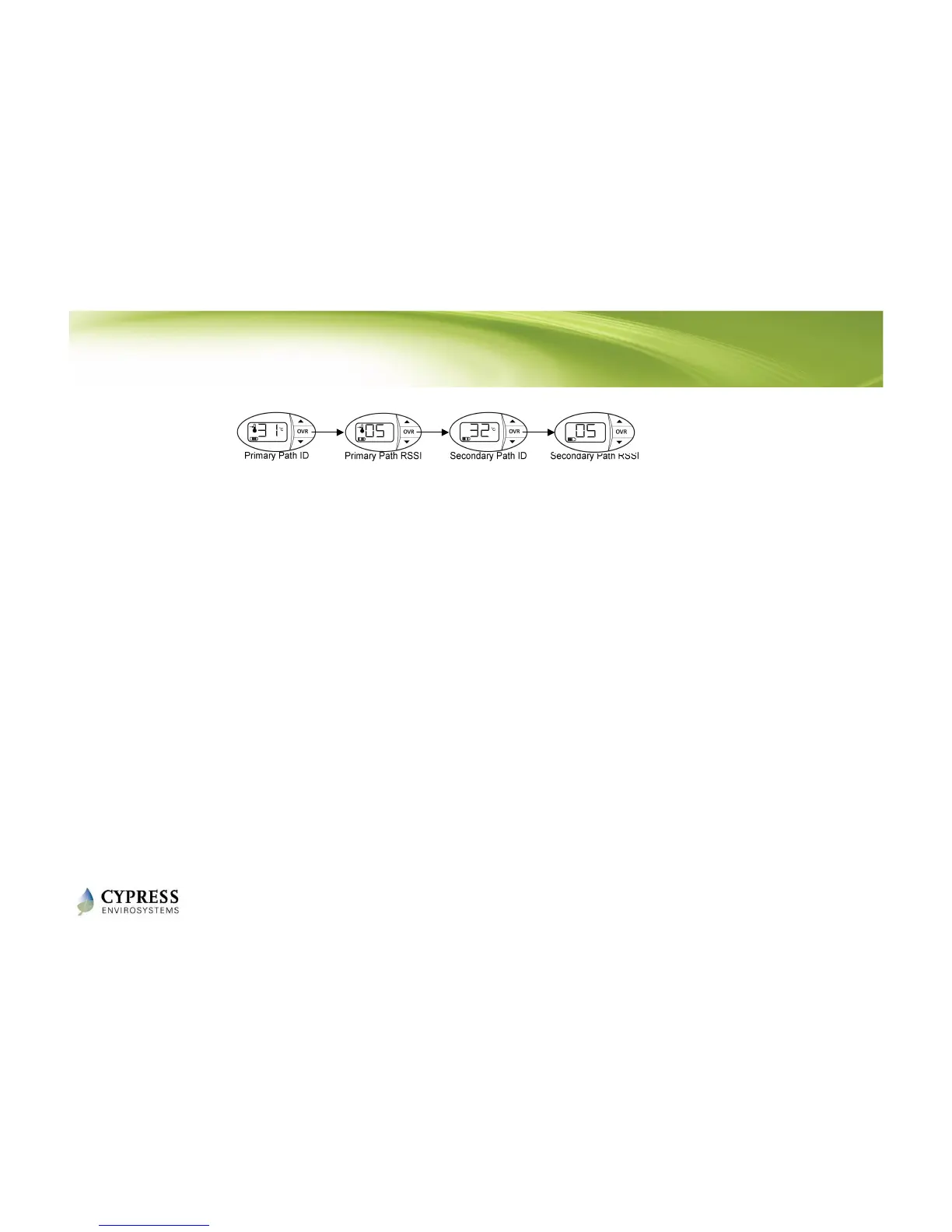
Each WPT attempts to find a primary and secondary wireless path back to the Hub.
The paths and associated signal strengths (1-5) from the WPT are displayed in
the “dt” menu.
1. Press and hold the ▼ button and OVR button together for two seconds before
releasing. The display will show ‘dt’.
2. Press the OVR button 5 times to see the primary path. °C icon is displayed,
indicating that the ID is being displayed (either a repeater ID or the Hub ID).
3. Press the OVR button again to see the wireless signal strength from the WPT to
the primary path.
4. Press the OVR button again to see the secondary path. °C icon is displayed,
indicating that the ID is being displayed (either a repeater ID or the Hub ID).
5. Press the OVR button again to see the wireless signal strength from the WPT to
the secondary path.
NOTE: This menu is not available in Standalone mode.
Reference: WPT Installation Manual - Section 3.6



 To Next Page