98
Cypress Confidential
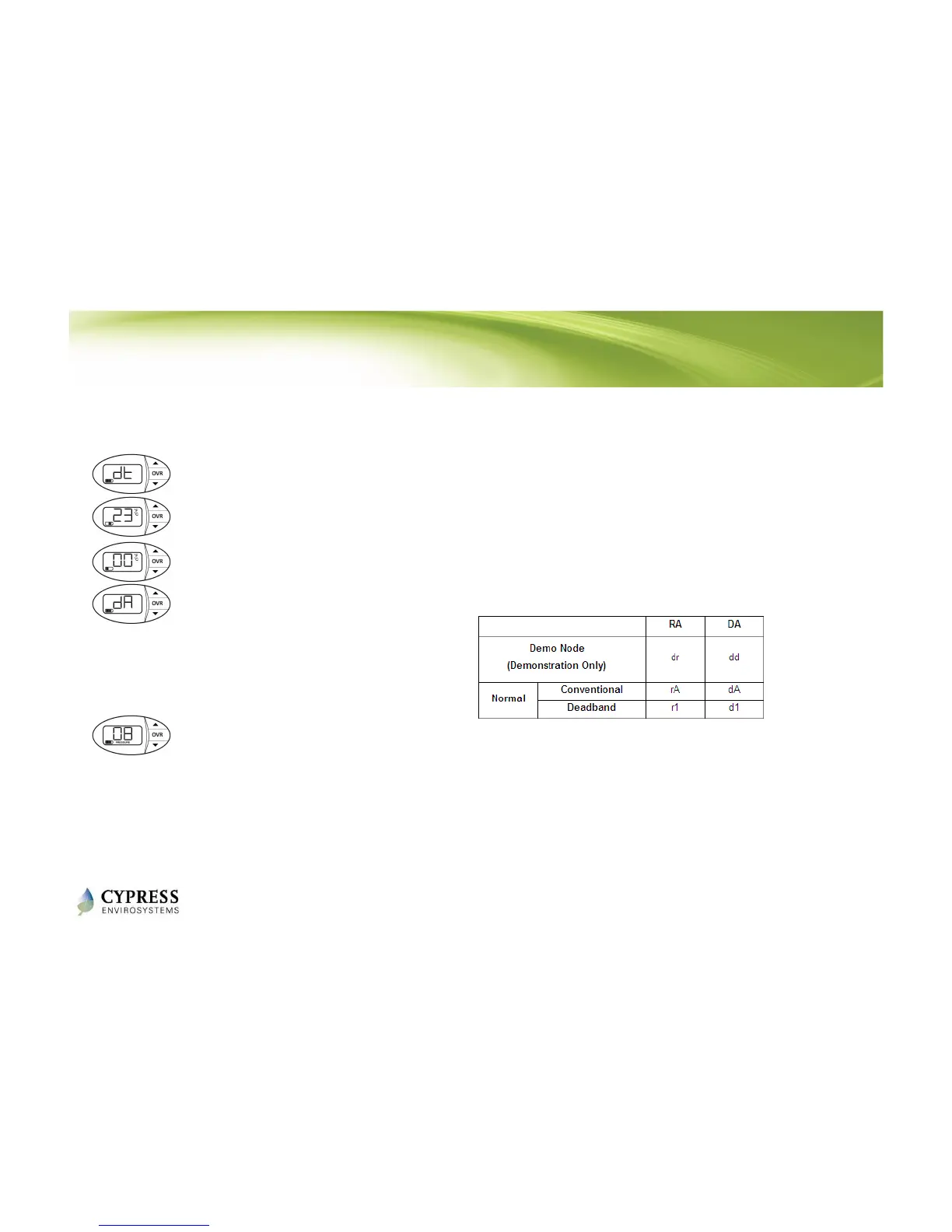
1. To view diagnostic info press and hold ▼ and OVR buttons simultaneously
for 2 seconds before releasing.
2. The LCD displays ‘dt’ to indicate the diagnostic mode.
3. Press OVR once to view the major firmware version.
4. Press OVR a second time to view the minor firmware version.
5. Press OVR for a third time to view the control polarity (direct/reverse).
6. Press OVR for a fourth time to view the current branch pressure in PSI
• Press the ▼ button. The LCD will flash the stored control pressure
for 3 seconds and return to the home screen. The battery segments
on the LCD represent 0.25 PSI resolution.
Diagnostic Information
NOTES
1. The WPT will exit diagnostic mode automatically if there is no action for 1 minute.
2. The display shows “--" if the motor is in motion when trying to access branch pressure.
This table shows the value displayed in
the control polarity window depending
on the type of WPT used.



 To Next Page