81
Cypress Confidential
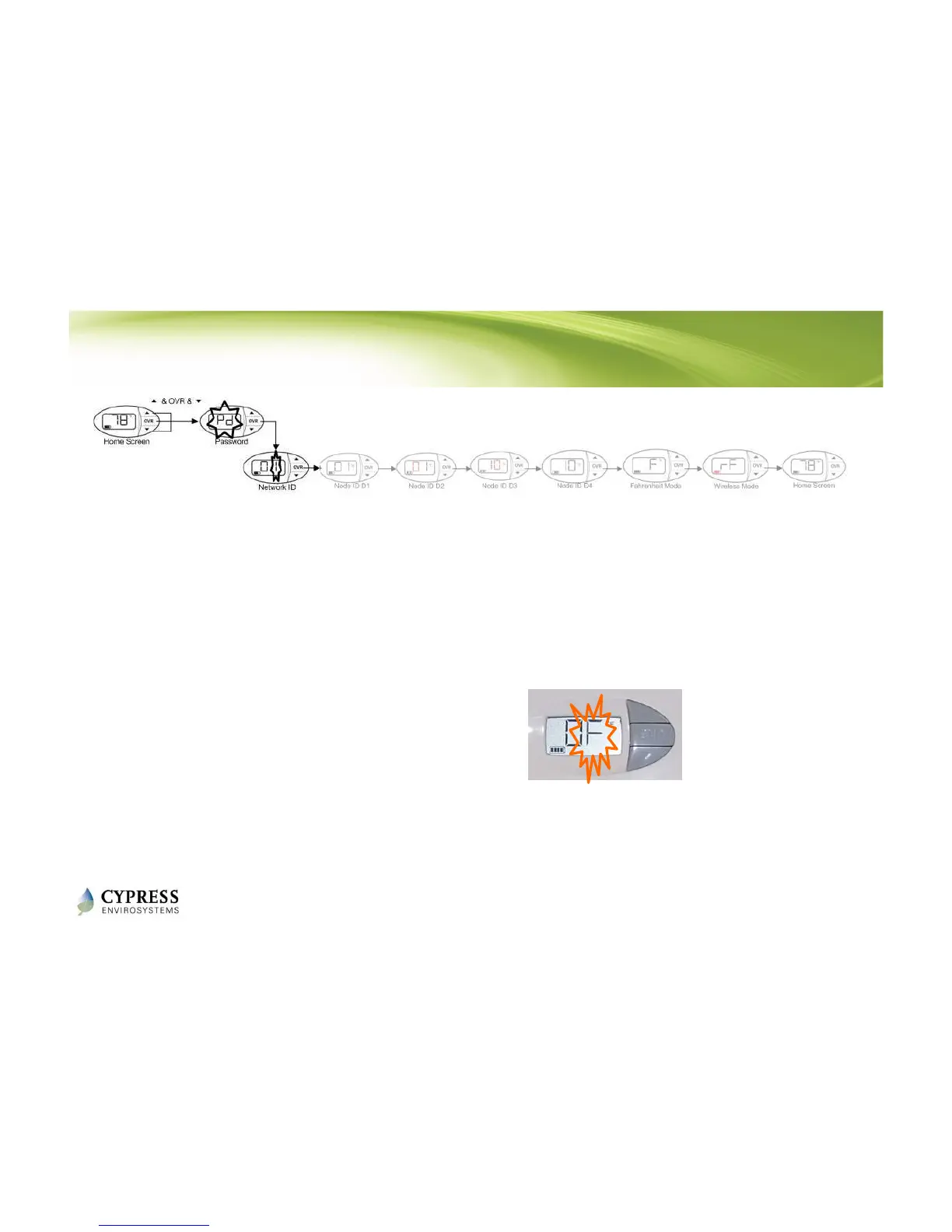
1. Press all 3 buttons and the LCD will display “Pd”
2. See section 2.2.1 in the WPT Installation Manual for the password
3. Using the and buttons, enter the Network ID that you wrote down
from the WPT web console
4. Press OVR button to confirm and move to the next programming step
NOTES:
1. The WPT is factory configured with Network ID 1. You can leave the Network ID unchanged by
pressing the OVR button.
2. The WPT will exit programming mode automatically if there is no action for 1 minute.
Programming WPT Network ID
Network ID
Programming
Mode
OVR



 To Next Page