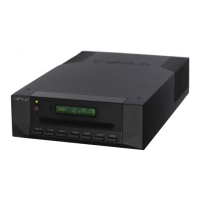
FAULTFINDING/DISASSEMBLY
©CyrusAudioLtdJun2014 8 CDtServiceManualIssue1
CAUTION!LIVEMAINSVOLTAGES!
When undertaking any repair work on the CD player, engineers should note that the player
includes a switching power supply connected directly to live mains and other high voltages,
locatedonthemainPCB.CapacitorsinthepowersupplywillretainveryhighDCvoltages,even
when disconnected from the mains. Exercise extreme care when removing or handling the
mainPCB.
Powersupplyrepair
Ifapowersupplyfaultissuspected,checkthevoltageofthe5Vand10Vpowersuppliesonthe
main PCB. These can be found at the SMD electrolytic capacitorsC506 and C507. If either or
bothofthesepowersuppliesismissing,theremaybeapowersupplyfault
orashort‐circuitto
thepowersupplyinquestion.
TheprimarysideofthepowersupplycanonlybetestedwithanisolatedDVMwhenthemain
PCBisinstalledcorrectlyinthechassis.NeverconnectpowertothemainPCBwhenithasbeen
removedfromthechassisor
useanygrounded test equipmentsuchasoscilloscopestocheck
forprimaryfaults.
Initially,checktheDCsupplyvoltageacrossthe'+'and'‐'pinsofD501.Thevoltagefoundwill
depend on the mains voltage, but will be between 300‐350V. If this voltage is not present,
disconnectmainspowerandchecktheminiaturefuseFS801.IfthefuseisOK,removethePCB
andchecktheprimarycomponentswithaDVMresistancemeter.
If the DC supply voltage is present and the power supply is not running, check the voltage
between pins 1 and 8 of IC501. This is about 0.9V in normal operation. If this voltage is low,
checkR501.Checkalsothebiassupplybetweenpins2and8ofIC501.Thisshouldbearound
6V, but will only be present if the switching supply is switching correctly. If the supply is not
switching,suspecta problem with IC501 or TX501.TX501 can be checkedwitha DVM set for
resistance.
The secondary supplies are simple rectified supplies. The 'FEEDBACK' line provides close
regulation for the +5V supply while the +10V supply may vary a little in voltage. If the +5V
supply is not accurately set, this is most likely a component fault in IC502 or the network of
componentsaroundit.
Discwillnotread
Ifthediscwillnotread,checktoseeifthediscisrotating.Ifthediscisrotatingthenitmeans
thatthelaserhasfocussed onthedisc,thereforeallpowersuppliesareok.Ifthediscdoesnot
rotate then check the power supplies to the servo PCB at pins +5V_MOTOR and +5V_CD on
connectorCON405 of the servo PCB. If thepower supplies are working correctly, remove the
loader and substitute the laser pickup with a new replacement unit. If the disc will still not
read,substitutewithanewservoPCB.
CAUTION!WhendisconnectingtheflexfoilcablefromthelaserpickuptotheservoPCB,always
ensurethatstaticprecautionsaretakenwithagroundedstaticmatandwrist‐strapasthelaser
pickup can easily be damaged by relatively low levels of static. When the disc reading
mechanism or laser pickup are removed from the chassis, it is preferable to fit a flexfoil and
use a metal paper clip or similar to bridge all open connections as static protection when
handlingthepickup.


 To Next Page