Cyrus Power Amplifier TROUBLE SHOOTING
15
English
TROUBLESHOOTING GUIDE
If you suspect that your Cyrus Power is not operating to
specification please read through this section before
returning the amplifier to your local dealer.
Note:
Always switch off all system components before
changing any connections.
No Sound from either Speaker
• Check that the amplifier is on. The standby light
should be green.
• Check that the MUTE light is "OFF".
• Check that the RCA/BAL selector switch is correctly
set.
• Check that the loudspeakers are not inadvertently
disconnected
• Check that the installation is correct according to the
installation guide in this booklet.
• Check that there is not fault indication on your Cyrus
Power front panel. If so refer to the next section,
'Fault Indication System'.
No Sound from one Speaker
• If your loudspeakers are fitted with protection fuses,
check that the fuses are intact.
• Check the speaker cable connection integrity of the
missing channel.
• Check the interconnect cable integrity between the
signal source and the Preamplifier. Check also the
interconnect between the Preamplifier and Cyrus
Power. If possible use another interconnect cable as a
test by substitution.
• For Mbloc installations, check that the input and
output connections are correctly made to both
amplifiers.
If the problem persists proceed as follows:
• Try another programme source and check if the
problem still exists. If the fault is removed by doing
this then the original source is at fault.
• Change over the left and right channels of your
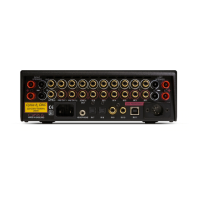
loudspeaker on the Cyrus Power rear panel. If the
problem stays in the same channel, then there is a
fault in the loudspeaker cable or the loudspeaker.
Now switch the cable at the loudspeaker end and if
the problem switches then the loudspeaker is faulty,
otherwise it is the loudspeaker cable or plug
connections which may be defective. Be sure to
restore the system to its original configuration after
completion of the above series of tests.



 To Next Page