Cyrus Power Amplifier OPERATION
11
English
MAINS POWER
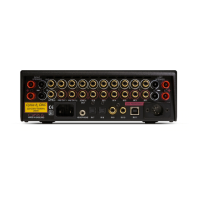
The mains power switch
11
is located on the rear panel of
the amplifier (refer to the rear panel drawing on page 4).
This switch should be left on for normal operation, except
when left unattended for a long period. In this case the
mains power should then be switched off or the product
disconnected from the AC supply.
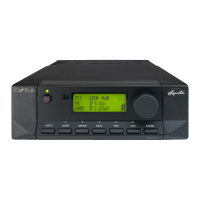
Refer now to figure 2, front panel drawing on page 12.
When the amplifier is in regular use and power is
permanently applied, the STANDBY key
1
can be used
for power control. The Standby light
2
will show red
when the amplifier is off and green when operating. A
Cyrus III or Cyrus Pre can also provide remote control of
Standby operation for one or more Cyrus Powers when
included within an MC-Bus system. For more details of
MC-Bus connection, refer to page 13.
FRONT PANEL INDICATORS
MBLOC Indicator
The MBLOC Indicator will glow red if the rear panel
STEREO/MBLOC switch is set for Mbloc Operation.
Note: As part of the protection system of the Cyrus
Power, the rear panel STEREO/MBLOC selector switch
can only be operated whilst the Cyrus Power is set to
Standby. Operation of the switch at any other time will
activate the fault indication system. See page 16 for more
details of the fault indication system.
MUTE Indicator
The MUTE Indicator glows red to indicate that the
loudspeakers have been temporarily disconnected by the
amplifier protection system. This will occur for a six
seconds following Standby operation or should a
temporary overload condition arise. If the MUTE
Indicator glows continually, refer to the Troubleshooting
Guide on page 15 for more details of the protection
system.



 To Next Page