20D-Link DAP-1120 User Manual
Section 3 - Web-based Conguration
Home Screen
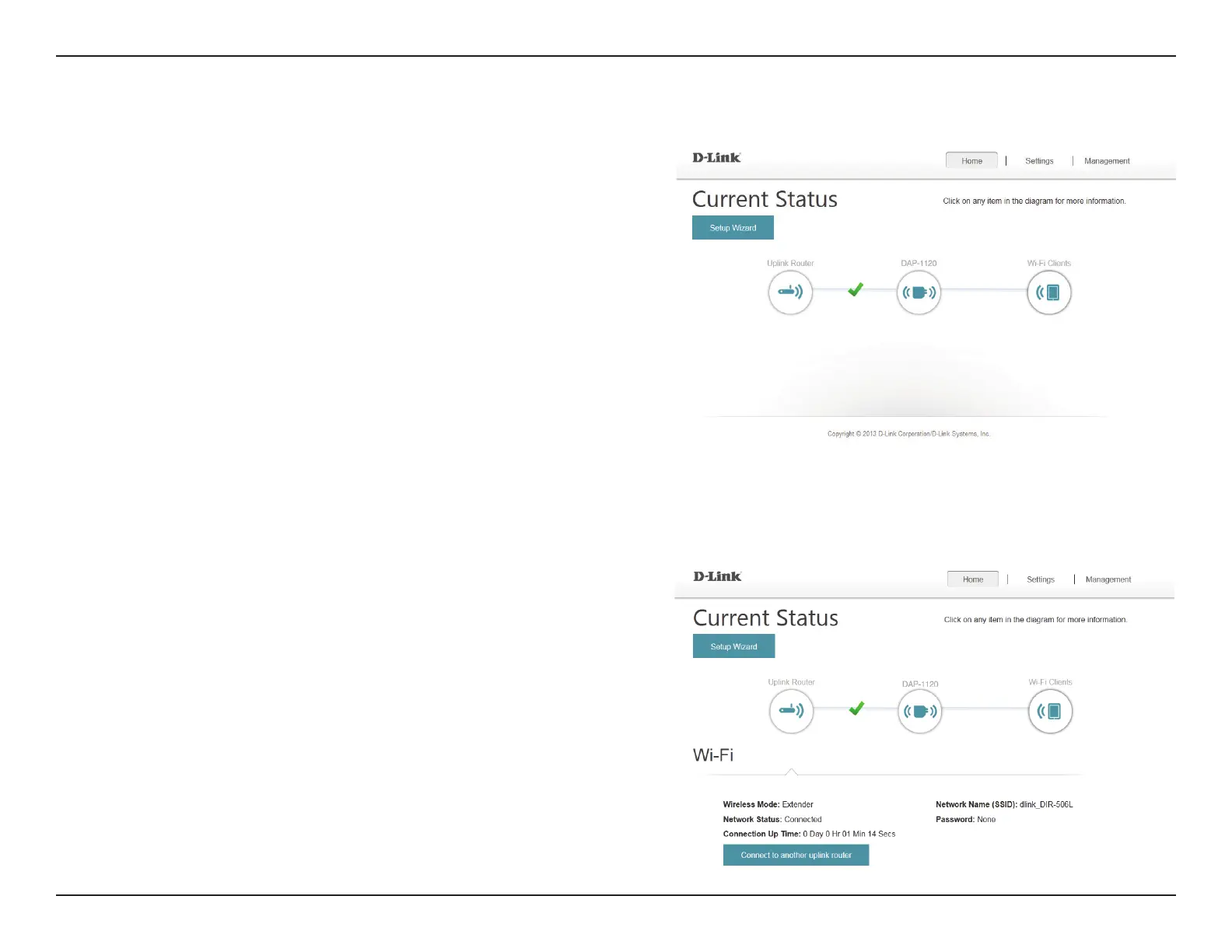
The home screen gives a summary of the current status of devices
connected to the DAP-1120. A green check between devices
indicates that there is an active connection. A red cross indicates
that there is no connection present, or there is a connection error.
At any time, you can click on the device images on the home
screen to view the current status of each device.



 To Next Page