EasyManua.ls Logo

D-Link DAP-1610-US - User Manual

D-Link DAP-1610-US
78 pages
Print Icon
To Next Page IconTo Next Page
Loading...
DAP-1610
User Manual
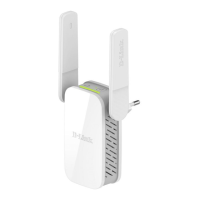
AC1200 Wi-Fi Range Extender
Version 1.00 | 2017/06/29

Questions and Answers

  • R
    robbinswhitneyAug 10, 2025
    What to do if D-Link Amplifier can't connect to wireless router?
    • C
      Christopher RiveraAug 10, 2025
      If you can't connect to your wireless router or your wireless connection drops, make sure that the D-Link Amplifier DAP-1610 is within range of your wireless router. Try plugging it into a location closer to the router and check if the Status LED is solid green. Also, when repeating a wireless signal from a router or access point, devices connected to the repeater might not get the same speed/throughput as when connected directly to the router.
  • D
    Douglas NelsonAug 25, 2025
    How to reset password on D-Link Amplifier?
    • E
      erik83Aug 26, 2025
      If you forgot your password or want to reset the D-Link Amplifier DAP-1610 back to the factory default settings, press and hold the reset button on the bottom of the extender using a paper clip, and release it after at least 10 seconds, until the Status light turns red. You may also repeat the WPS process.

D-Link DAP-1610-US Specifications

General IconGeneral
BrandD-Link
ModelDAP-1610-US
CategoryExtender
LanguageEnglish

Related product manuals