DAP-1155 Wireless N 150 Access Point & Router
User Manual
Overview
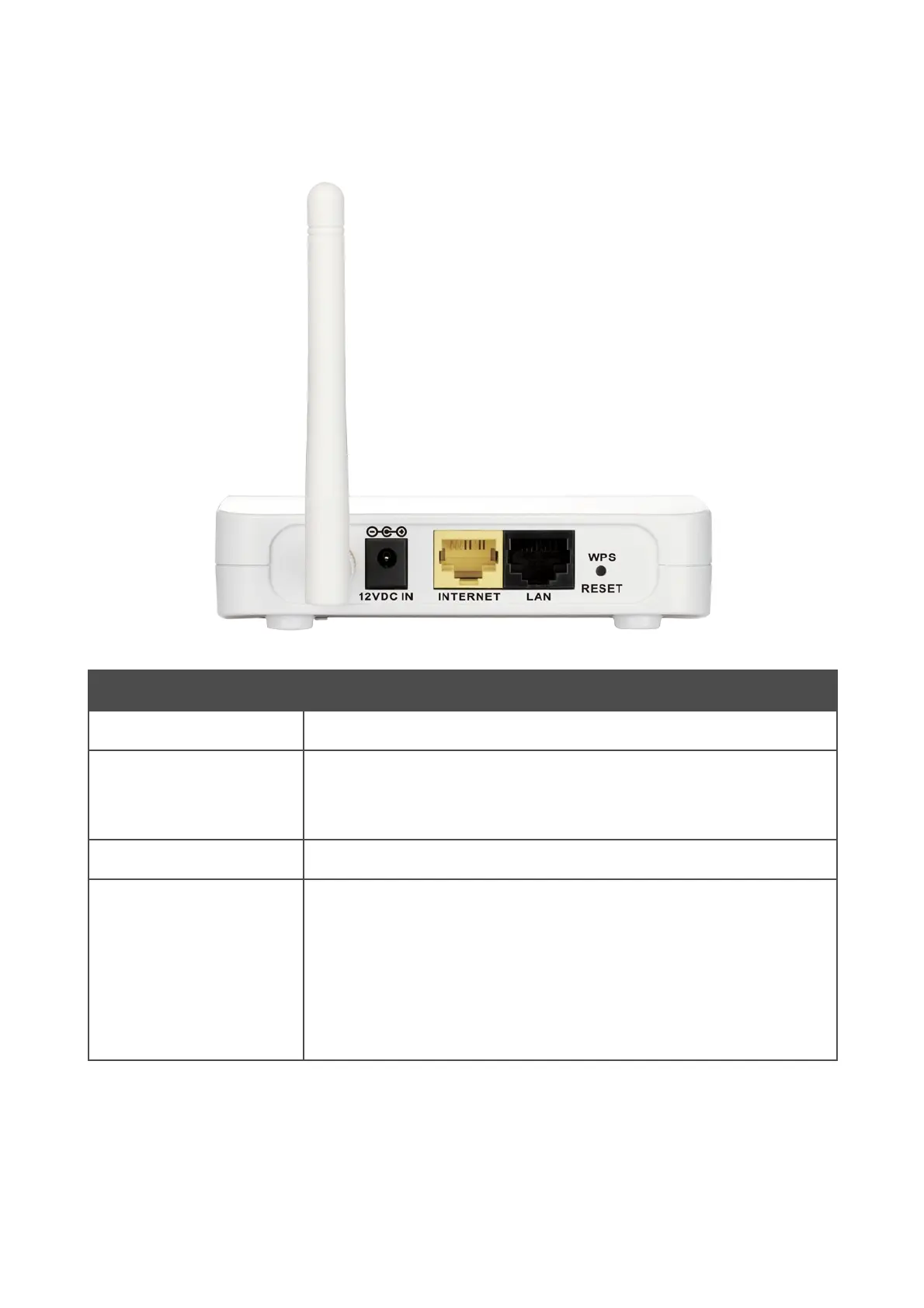
Back Panel
Figure 2. Back panel view.
Port Description
12 VDC IN
Power connector.
INTERNET
A port to connect to a cable or DSL modem or to a private Ethernet
line (it is recommended to use the cable included in the delivery
package).
LAN
An Ethernet port to connect to a computer.
WPS
RESET
A button to restore the factory default settings and to quickly add
wireless devices to the access point's WLAN (the WPS function).
To use the WPS function: with the device turned on, push the button
and immediately release it.
To restore the factory defaults: with the device turned on, push the
button, hold it for 3 seconds, then release it.
The device is equipped with a detachable antenna (Reverse SMA).
Page 12 of 215














 To Next Page