DAP-1155 Wireless N 150 Access Point & Router
User Manual
Configuring Device (Router Mode)
Client
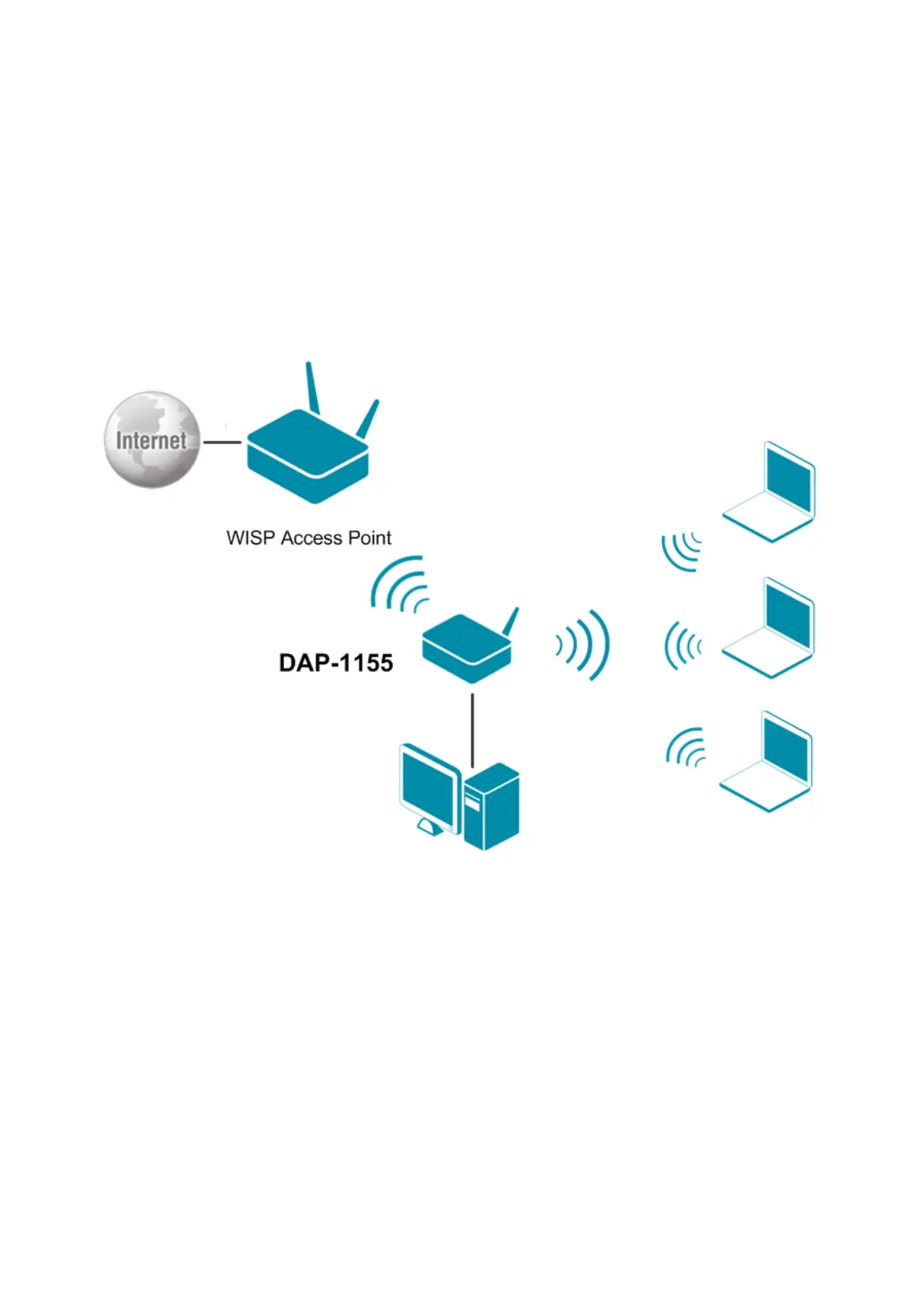
On the Wi-Fi / Client page in the router mode, you can configure the device as a client to connect
to a WISP access point.
The “client” function in the router mode allows using DAP-1155 as a WISP repeater.
To use the access point as a WISP repeater, you need to configure the same channel of the wireless
connection for DAP-1155 and the WISP access point. Other parameters of the wireless network of
DAP-1155 do not depend upon the settings of the WISP access point.
Figure 135. Connecting DAP-1155 in the router mode as a client.
After configuring the device as a client, you need to create a WAN connection with relevant
parameters for the WiFiClient port.
Page 175 of 215














 To Next Page