5D-Link DAP-1365 User Manual
Section 1 - Product Overview
Hardware Overview
Front
2
1
43
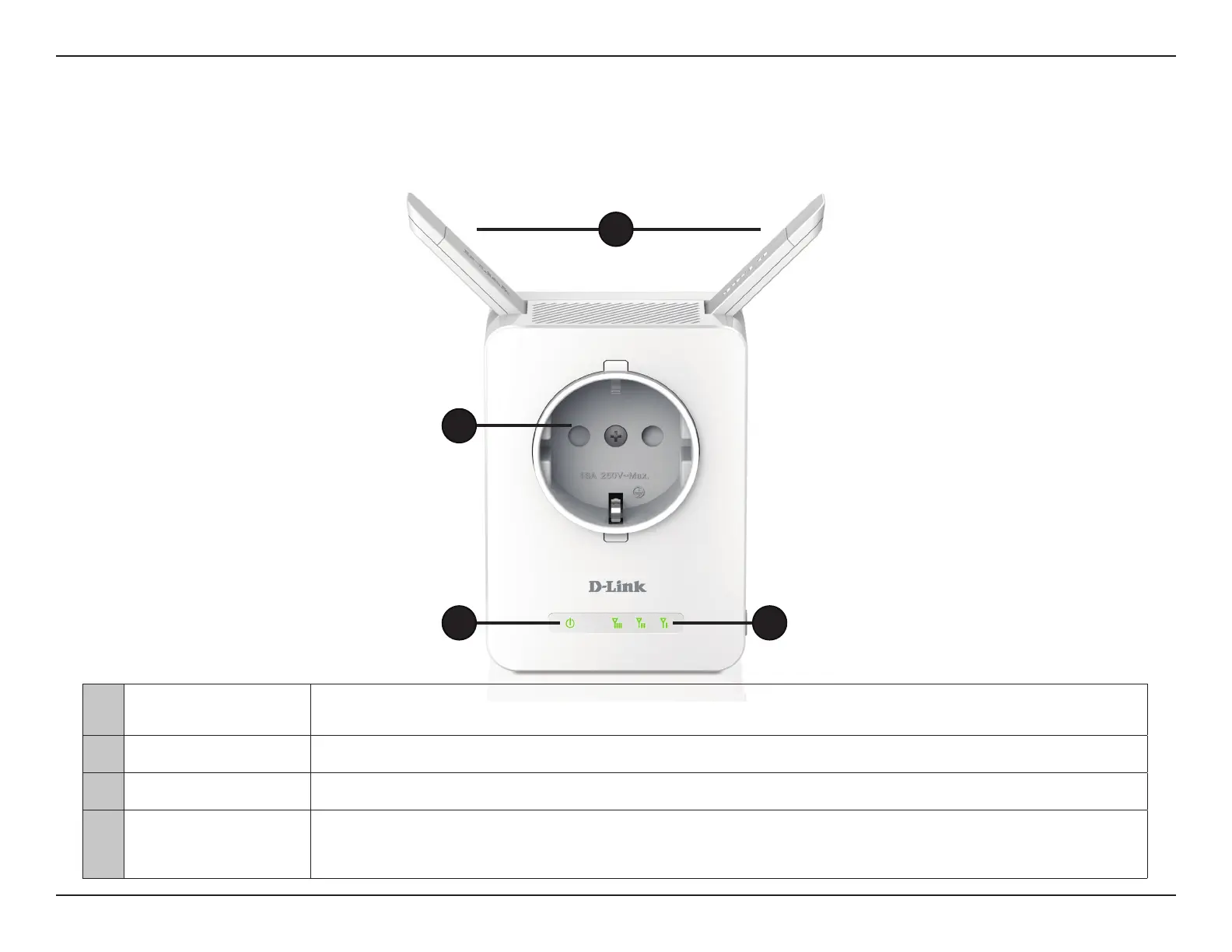
1 External Antennas Extend the antennas for optimal wireless coverage.
2 Power Outlet Plug-in electrical devices using this power passthrough outlet.
3 Status/WPS LED This LED indicates the current status of the DAP-1365, as detailed on the next page.
4 Signal Indicator LED
The more lit green bars on the Signal Indicator LED, the better the wireless signal to the host network. A single
solid amber LED indicates a weak Wi-Fi signal. Refer to “Wireless Signal Strength Indicator LED” on page 8.















 To Next Page