61
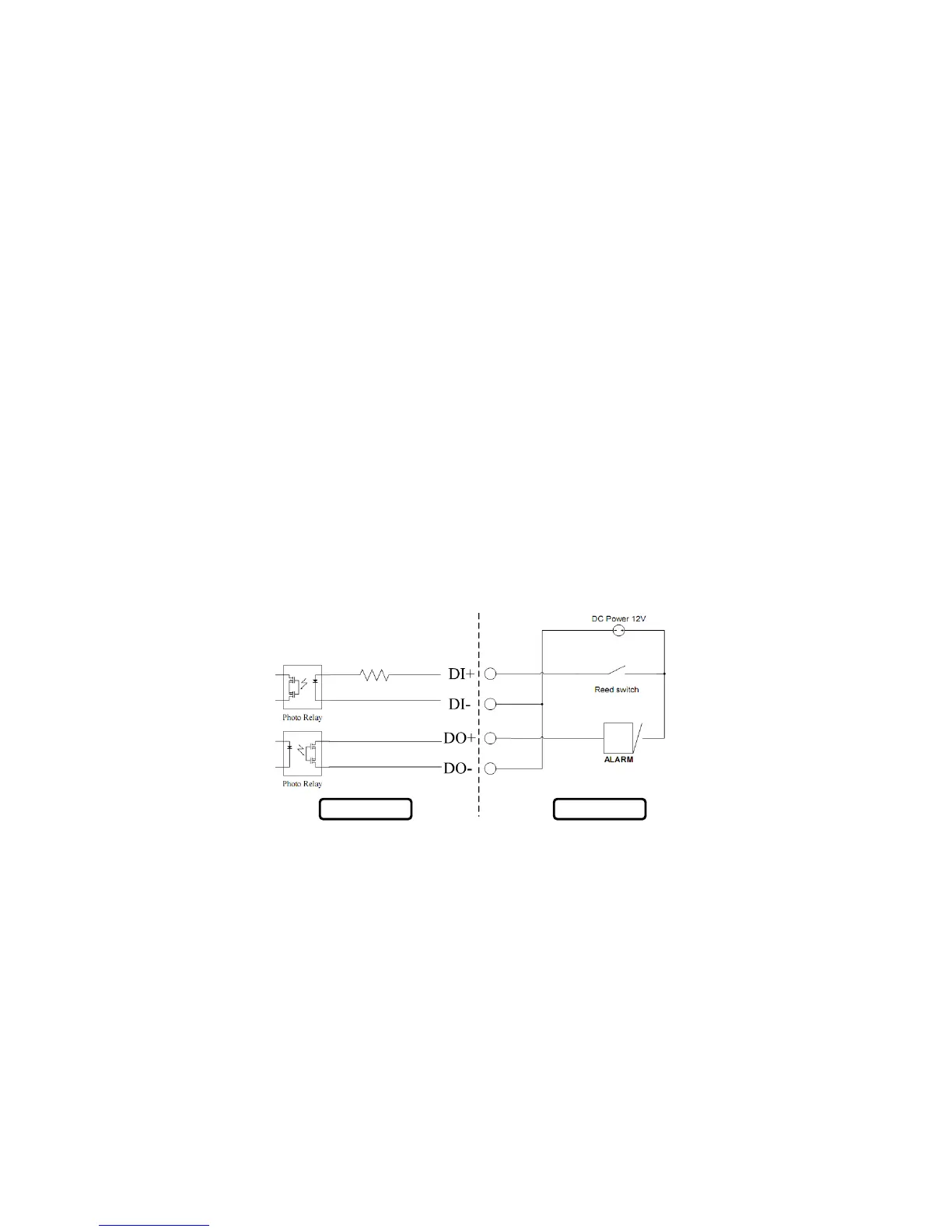
DI/DO Input specifications
DO Digital Output:
Normal: open circuit
Trigger: short circuit
After powering on or rebooting the DCS-2121, the camera will be in Normal mode by default.
DI Digital Input:
Normal: no current
Trigger: 12V current
As the Digital Input signal is controlled by an external device, we recommend that you set your device to feed no current normally, and feed a 12V current only to
trigger a DI event on the DCS-2121.
Example use of DI/DO:
You can connect a motion sensor to the DI port, signaling the camera to take a snapshot and to trigger an alarm connected to the DO port.
DI: Receives signals from an outside sensor. Let the motion detector or any other external security device be connected to the DI port.
DO: Connected to a buzzer or alarm.
Note: External device ports connected to the DI or DO port must provide 12V power.
Camera External Device















 To Next Page