20D-Link DCS-2132L User Manual
Section 2: Installation
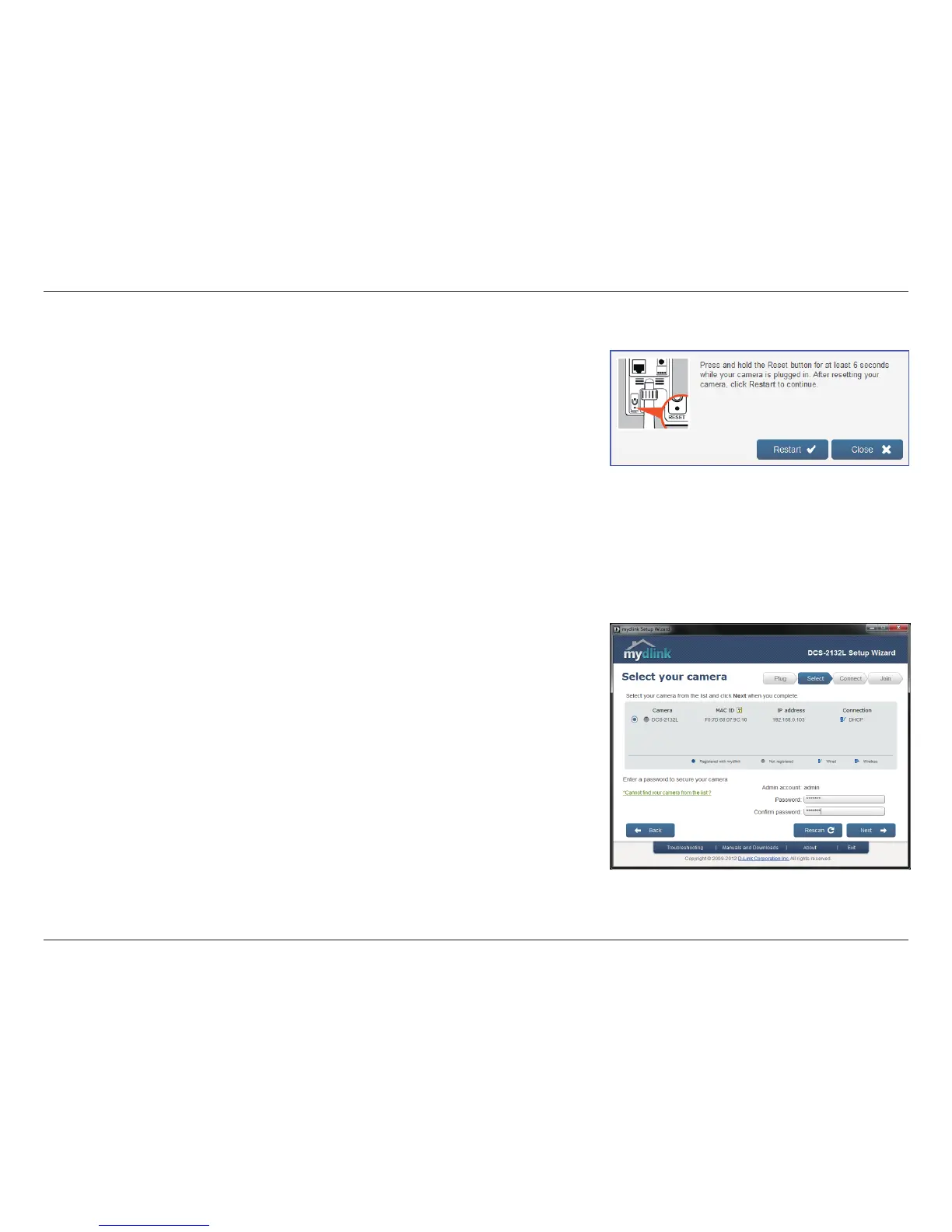
If you wish to remove the camera from a previously registered mydlink account,
press and hold the reset button on the rear panel for at least 6 seconds and click
Restart to restart the wizard.
After you have selected your camera from the list, you will be asked to create
and conrm a password for it. The password is case sensitive and must contain
at least 2 letters.
Click Next to continue.


 To Next Page