43D-Link DCS-2132L User Manual
Section 4: Conguration
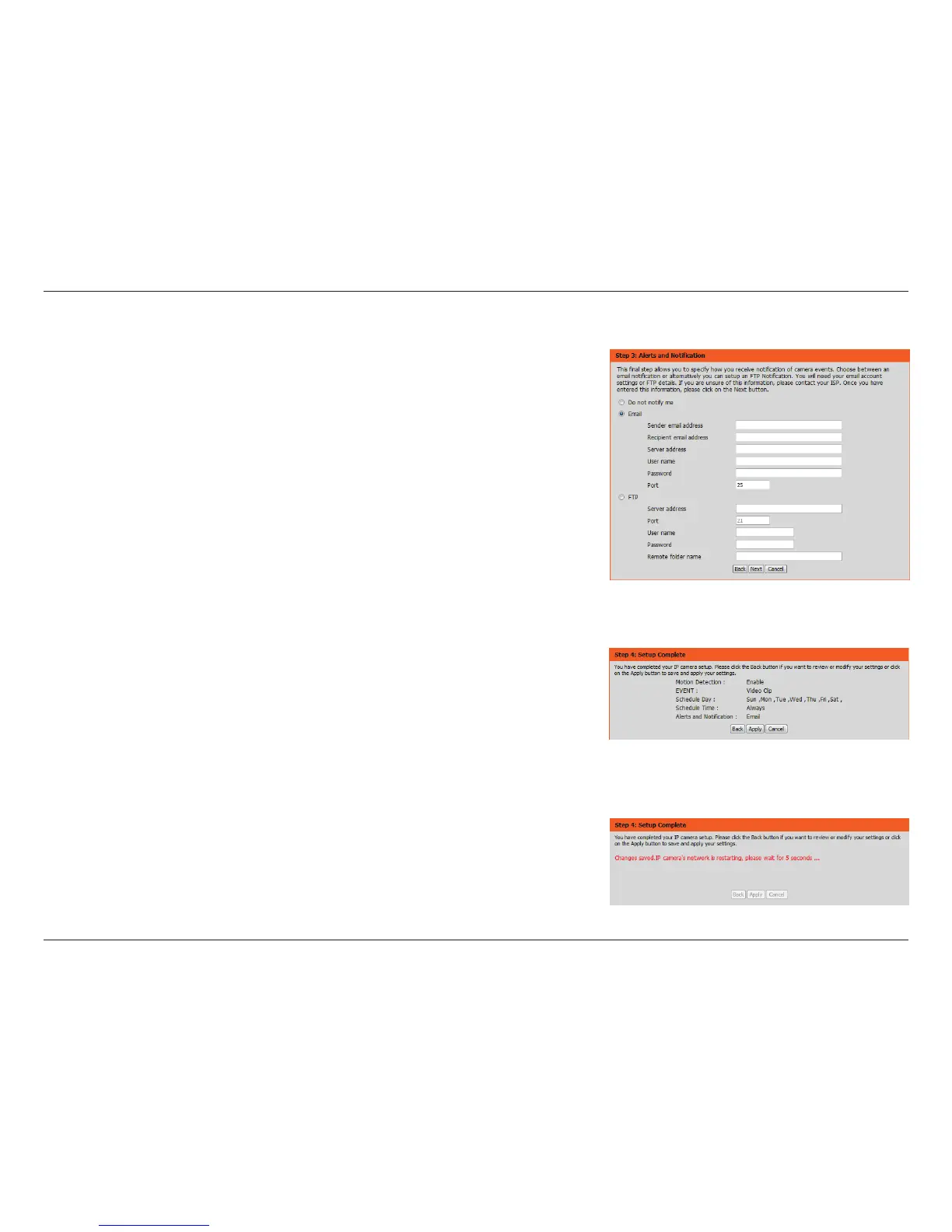
Step 3
This step allows you to specify how you will receive event notications from your camera. You
may choose not to receive notications, or to receive notications via e-mail or FTP.
Please enter the relevant information for your e-mail or FTP account.
Click Next to continue.
Step 4
You have completed the Motion Detection Wizard.
Please verify your settings and click Apply to save them.
Please wait a few moments while the camera saves your settings and restarts.


 To Next Page