19D-Link DCS-6010L User Manual
Section 2: Installation
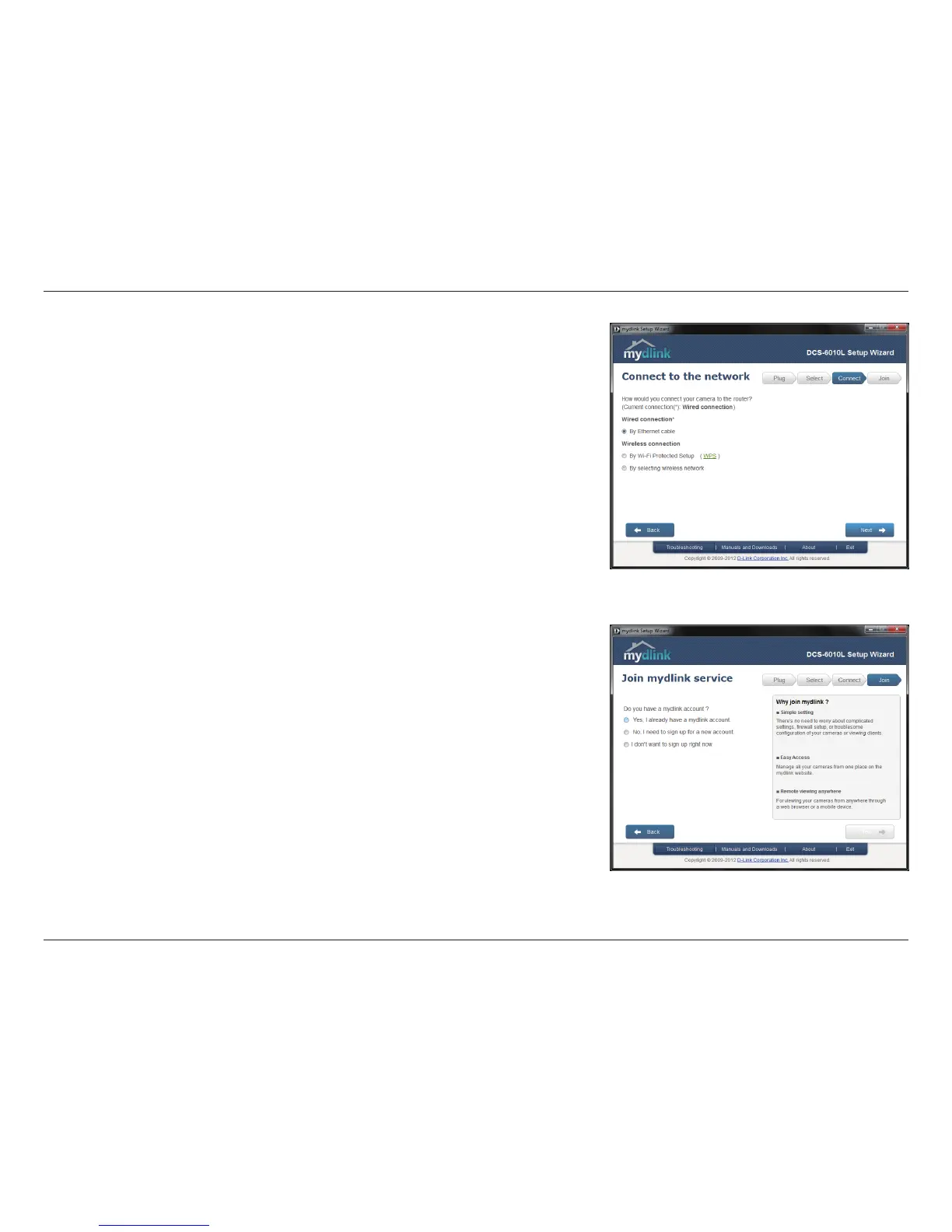
To move the camera to a wireless connection by using WPS or by selecting a
wireless network, select the appropriate option then follow the steps displayed.
Otherwise, click Next to continue.
Complete the mydlink account registration form with your details making sure to
select the I accept mydlink terms and conditions box, and click the Next button.




 To Next Page