27D-Link DCS-6010L User Manual
Section 3: mydlink
Live Video
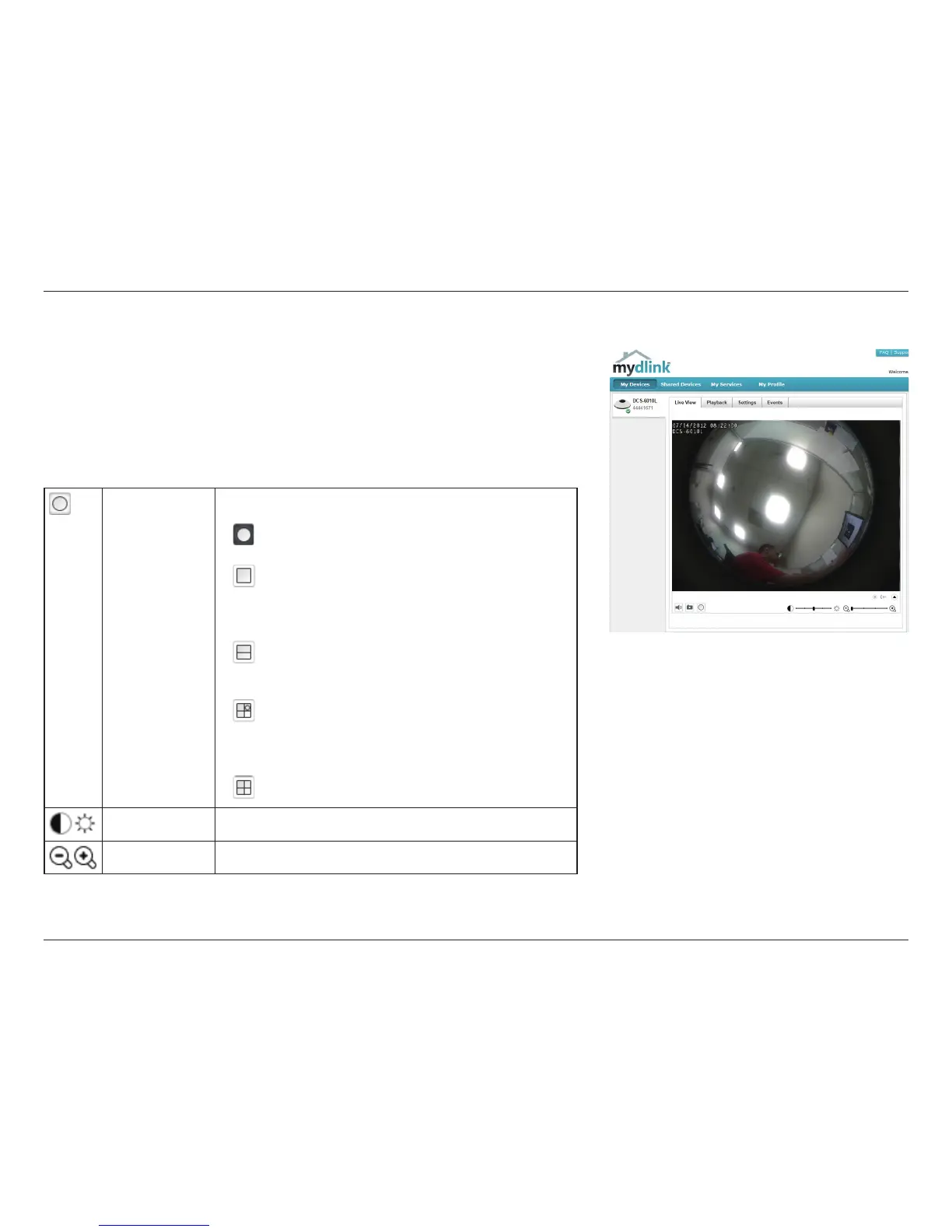
In the main part of the screen, the Live Video tab will be selected by default. If
the camera is available, a Live Video feed will be displayed. Video will be shown
at VGA resolution (640x480) if viewing your camera from a PC on the same local
network, or at QVGA resolution (320x240) if viewing your camera from a PC on
a remote network.
View Mode Here, you can select between the dierent view modes:
Fisheye Mode: shows the full camera view.
Normal Mode: shows a corrected view similar to a
standard camera view that you can move using the
control pad.
Panoramic Mode: This shows a corrected, full 180
view across 2 video panels.
Multi-View with Fisheye: This shows a multiple
window view, with a full sheye view in the top-
right panel.
Multi-View: This shows a multiple window view.
Brightness Adjust the slider control to account for brightness.
Zoom Adjust the slider control to zoom in or out.




 To Next Page