23D-Link DCS-6010L User Manual
Section 2: Installation
Mounting the Camera
The DCS-6010L is suitable for mounting to a ceiling, wall or desktop using the bracket provided.
Note: In order to use the mydlink features of this product, you will need to go through the Camera Setup Wizard.
Step 1
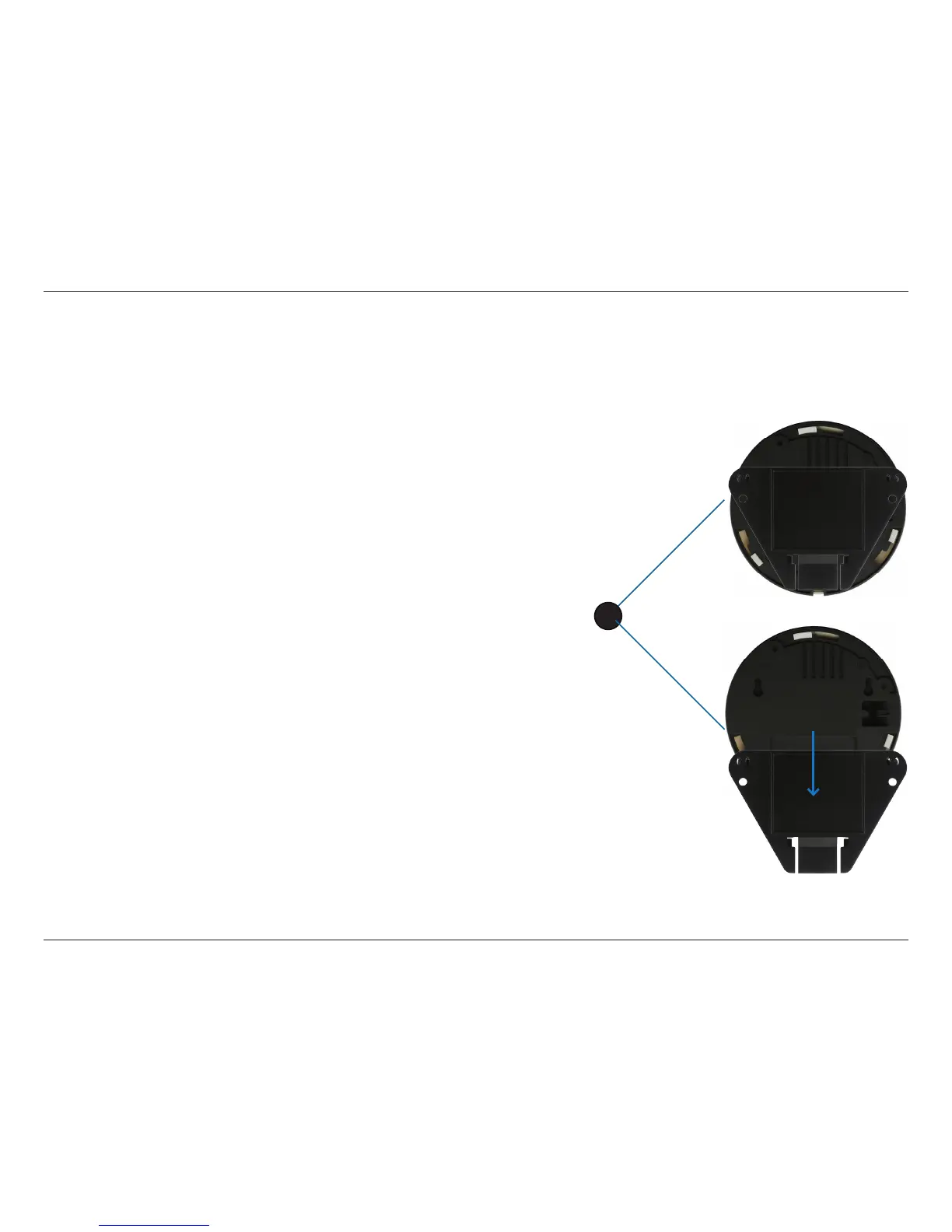
Unclip the wall bracket from the DCS-6010L by sliding the base down.
Step 2
Position the mounting bracket in the desired location and mark the surface
behind it holes using the bracket as a stencil / in pencil
Step 3
Use a 6mm drill bit to make required holes approximately 25mm deep.
Step 4
Insert wall anchors.
Step 5
Ax bracket using the screws provided.
Step 6
Clip the DCS-6010L to the bracket ensuring a tight t
Note: if mounting on a wall ensure the camera is oriented with the cables
positioned to the bottom of the device.
1




 To Next Page