36D-Link DCS-6010L User Manual
Section 4: Conguration
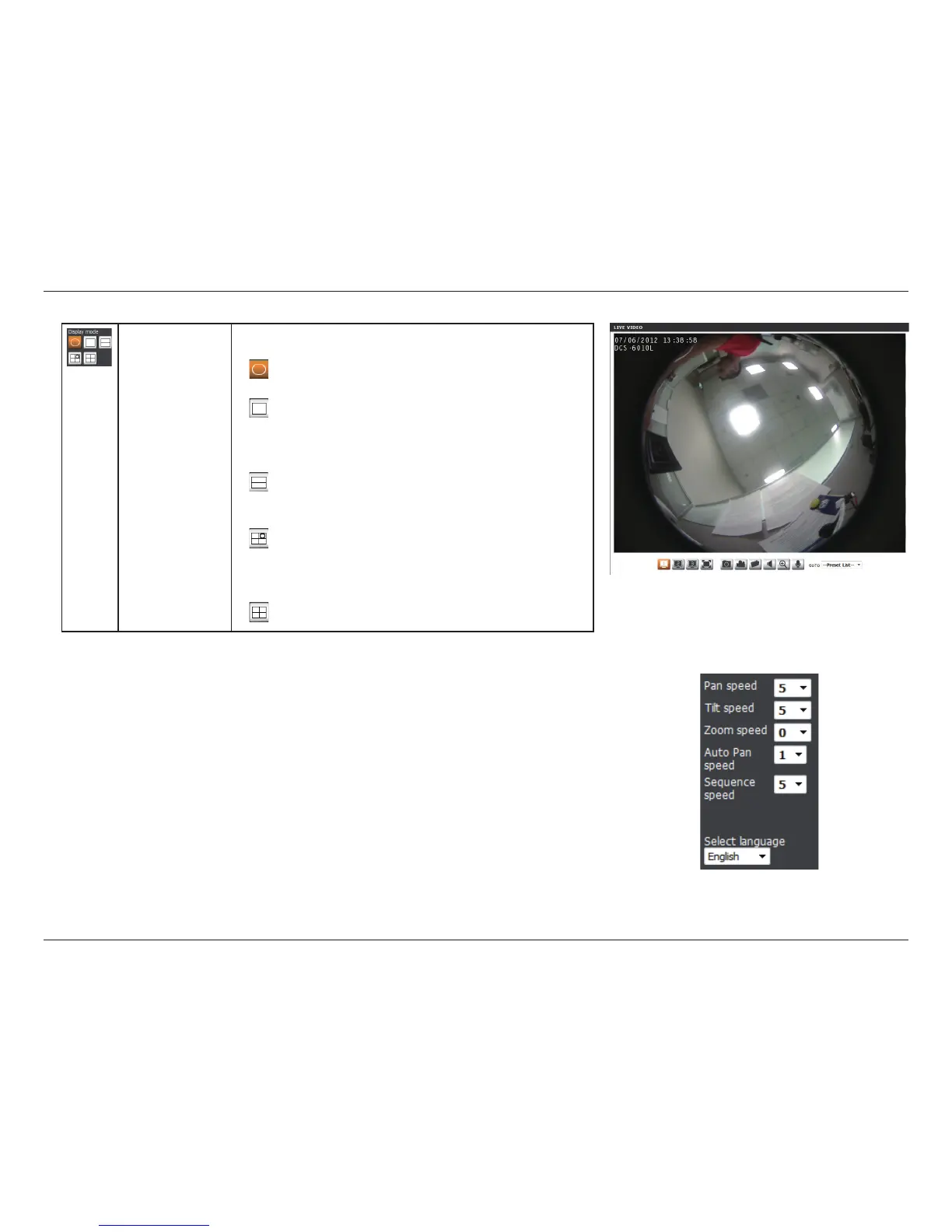
You can set the speed of pan/tilt/zoom/auto pan movement and
sequence changes by using the dropdown menus.
You may select the interface language using this menu.
Pan/Tilt/Zoom/
Auto Pan/
Sequence
Speed:
Language:
Display Mode Here, you can select between the dierent display modes:
Fisheye Mode: shows the full camera view
Normal Mode: shows a corrected view similar to a
standard camera view that you can move using the
control pad.
Panoramic Mode: This shows a corrected, full 180
view across 2 video panels.
Multi-View with Fisheye: This shows a multiple
window view, with a full Fisheye view in the top-
right panel.
Multi-View: This shows a multiple window view.




 To Next Page