DES-3226S Layer 2 Fast Ethernet Switch User’s Guide
79
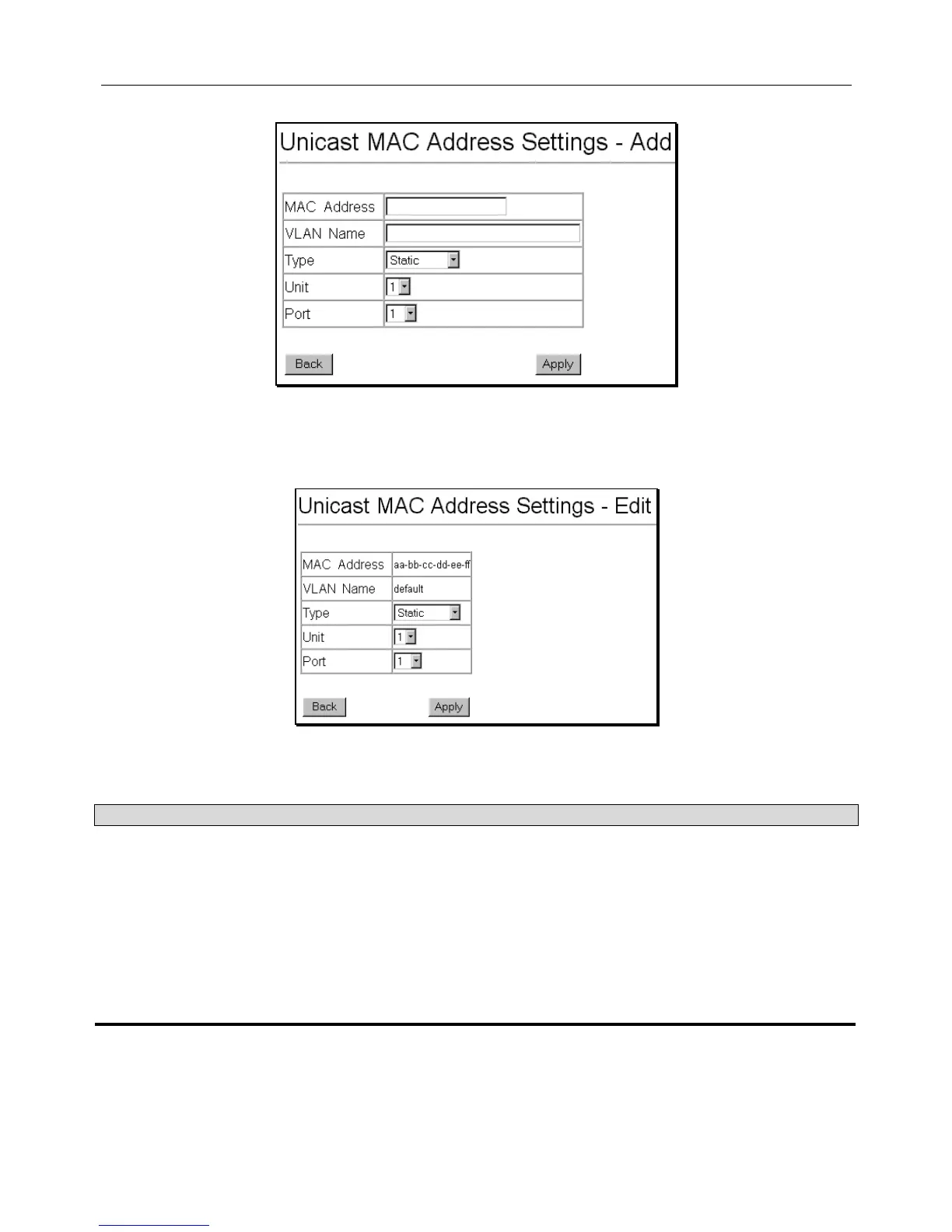
To add a new MAC address to the MAC Address Forwarding Table, click the New button:
Figure 6 - 54. Unicast MAC Address Settings − Add
To edit an existing entry in the MAC address in the MAC Address Forwarding Table, click the Edit button:
Figure 6 - 55. Unicast MAC Address Settings − Edit
The following fields can be set:
Parameter Description
MAC Address
Allows the entry of the MAC address of an end station that will be entered into the
Switch’s static forwarding table when adding a new entry. Displays the currently selected
MAC address when editing.
VLAN Name
Allows the entry of the VLAN Name of the VLAN the MAC address below is a member of
− when editing. Displays the VLAN the currently selected MAC address is a member of −
when editing an existing entry.
Unit
Allows the selection of a given Switch from a Switch stack − if you have the optional
stacking module installed and have properly interconnected the Switches in a Switch
stack.
Port
Allows the entry of the port number on which the MAC address entered above resides.













 To Next Page