DES-3550 Fast Ethernet Layer 2 Switch
header.
• Select Packet Content Mask to specify a mask to hide the content of the
packet header.
Offset
This field will instruct the Switch to mask the packet header beginning with the offset
value specified:
•
•
•
•
•
value (0-15) - Enter a value in hex form to mask the packet from the
beginning of the packet to the 16th byte.
value (16-31) – Enter a value in hex form to mask the packet from byte 16 to
byte 31.
value (32-47) – Enter a value in hex form to mask the packet from byte 32 to
byte 47.
value (48-63) – Enter a value in hex form to mask the packet from byte 48 to
byte 63.
value (64-79) – Enter a value in hex form to mask the packet from byte 16 to
byte 31.
Port
The user may set the Access Profile Table on a per-port basis by entering an entry
in this field. Entering all will denote all ports on the Switch.
Click Apply to implement changes made.
To establish the rule for a previously created Access Profile:
In the Configuration folder, click the Access Profile Table link opening the Access Profile Table. Under the heading
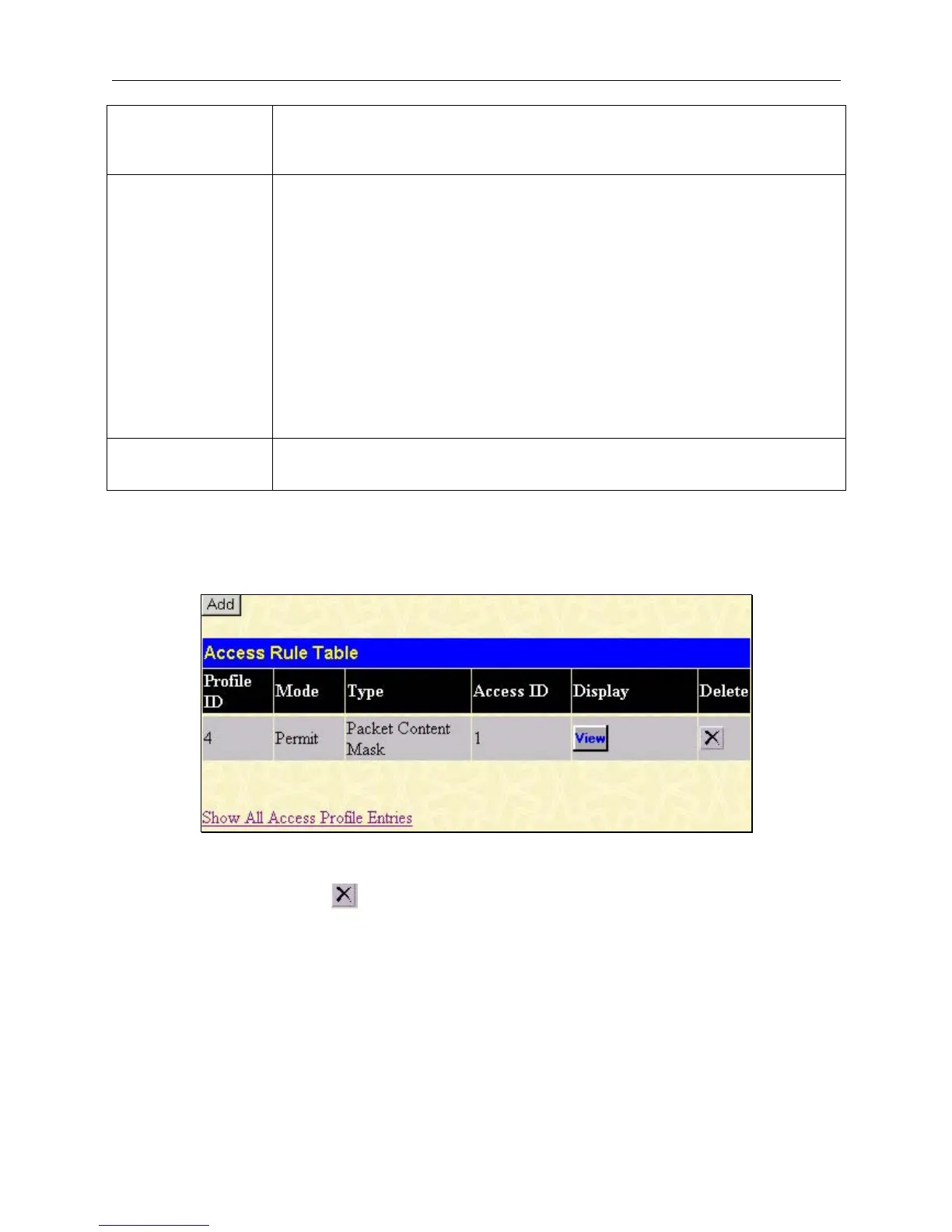
Access Rule, clicking Modify, will open the following window.
Figure 6- 56. Access Rule Table window
To create a new rule set for an access profile click the Add button. A new window is displayed. To remove a previously
created rule, click the corresponding
button.
88













 To Next Page