DES-3550 Fast Ethernet Layer 2 Switch
Backend State
The Backend Authentication State can be Request, Response, Success, Fail,
Timeout, Idle, Initialize, or N/A. N/A (Not Available) indicates that the port's
authenticator capability is disabled.
Port Status
Controlled Port Status can be Authorized, Unauthorized, or N/A.
Layer 3 Feature
Browse ARP Table
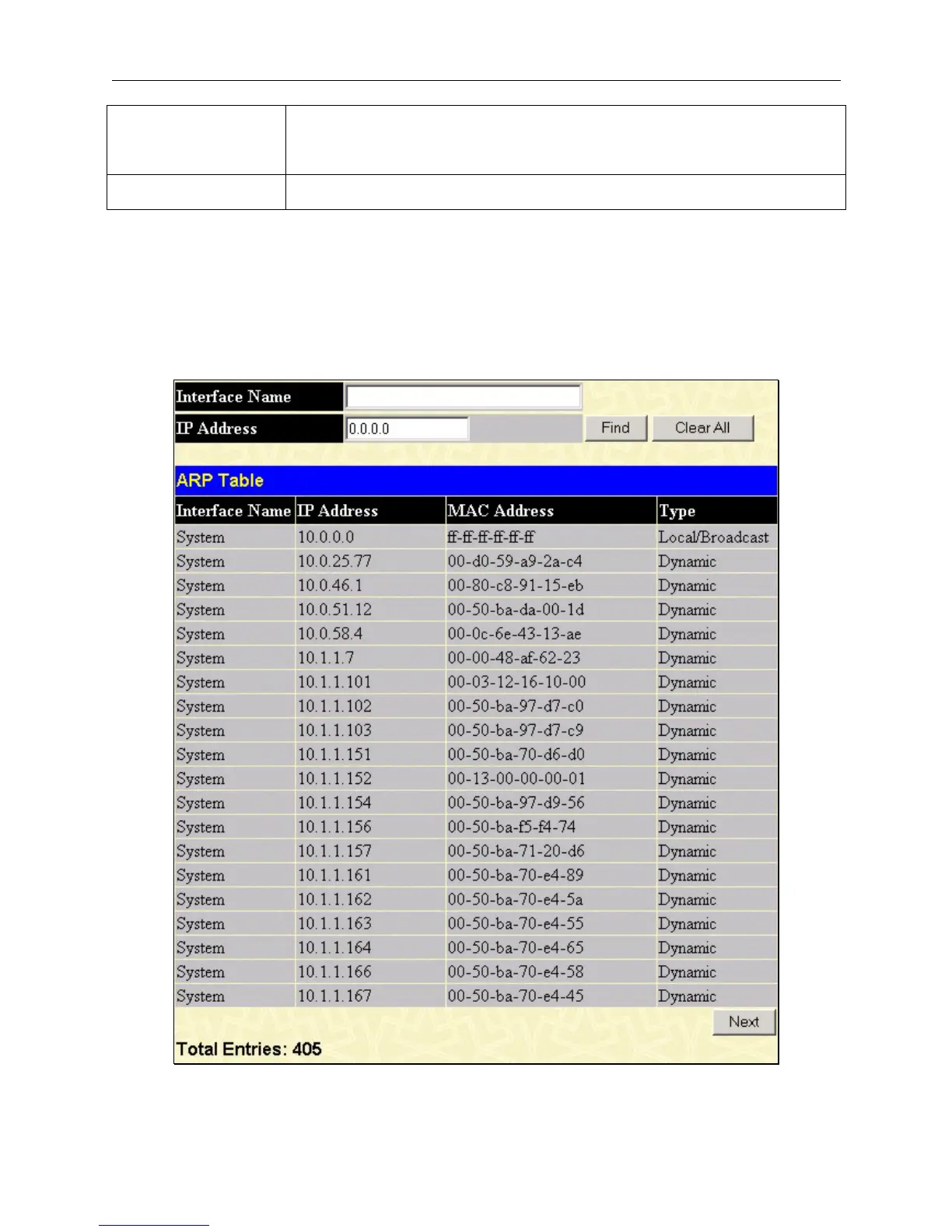
The Browse ARP Table window may be found in the Monitoring menu in the Layer 3 Feature folder. This window will
show current ARP entries on the Switch. To search a specific ARP entry, enter an interface name into the Interface Name
or an IP address and click Find.
Figure 8- 23. ARP Table
165













 To Next Page