6D-Link DFE-690TXD Quick Install Guide
Verify Installation
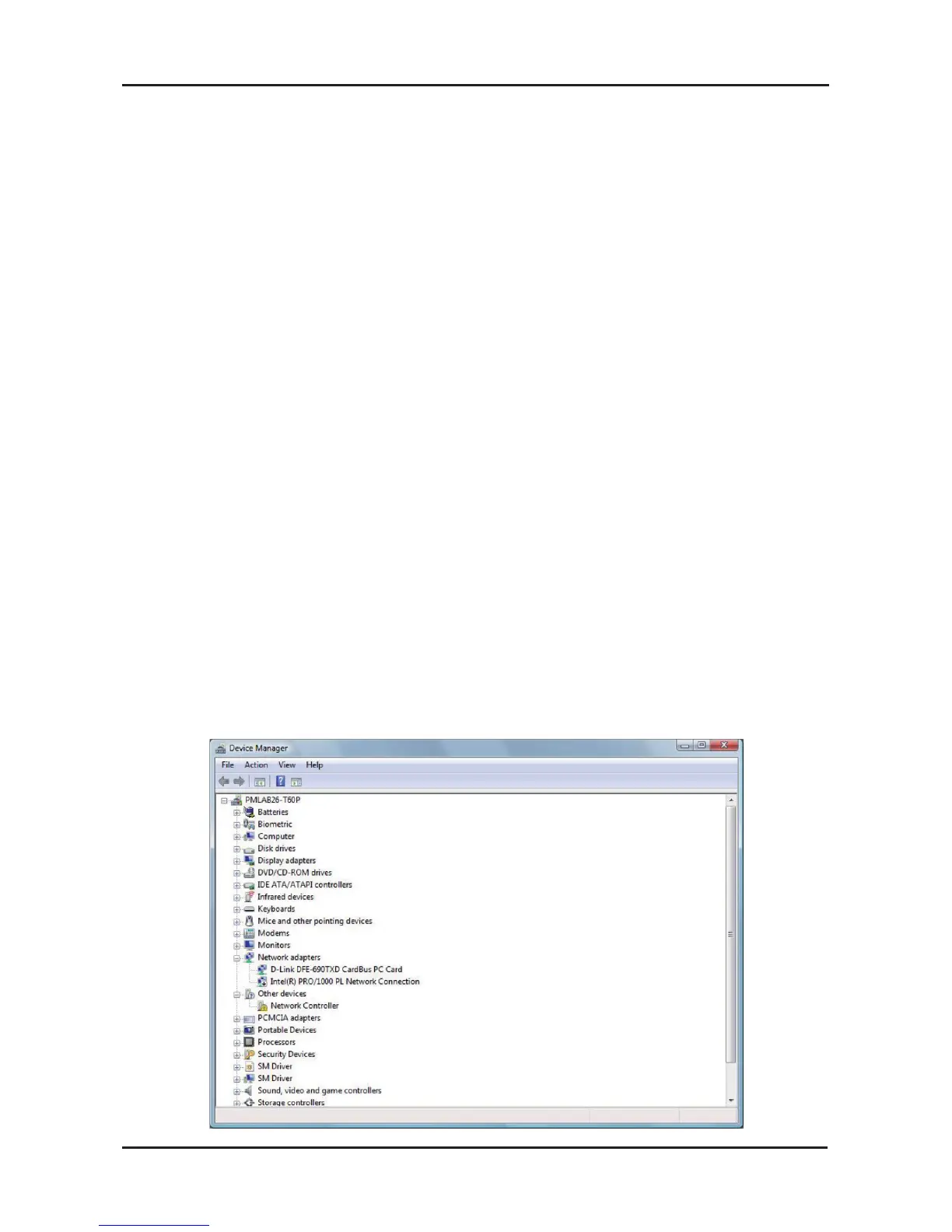
To verify that the drivers are installed, you may view Device Manager.
To view the device manager, please follow the steps below:
Step 1:
Windows
®
2000: Click on Start > Settings > Control Panel
Windows
®
XP: Click on Start > Control Panel
Windows
®
7/Vista
®
: Click on Start > Control Panel
Step 2:
Windows
®
2000/XP: Click on the System icon. Click the Hardware
tab and then click Device Manager.
Windows
Vista
®
: Click on the System and Maintenance icon and
then click on Device Manager.
Windows
®
7: Click on the System and Security icon and then click
on Device Manager.
Step 3:
Scroll down and click the plus (+) sign next to Network Adapters.
The D-Link DFE-690TXD CardBus PC Card will be listed.
Verify Installation



 To Next Page