EasyManua.ls Logo

D-Link DWA-192 - User Manual

D-Link DWA-192
52 pages
Print Icon
To Next Page IconTo Next Page
Loading...
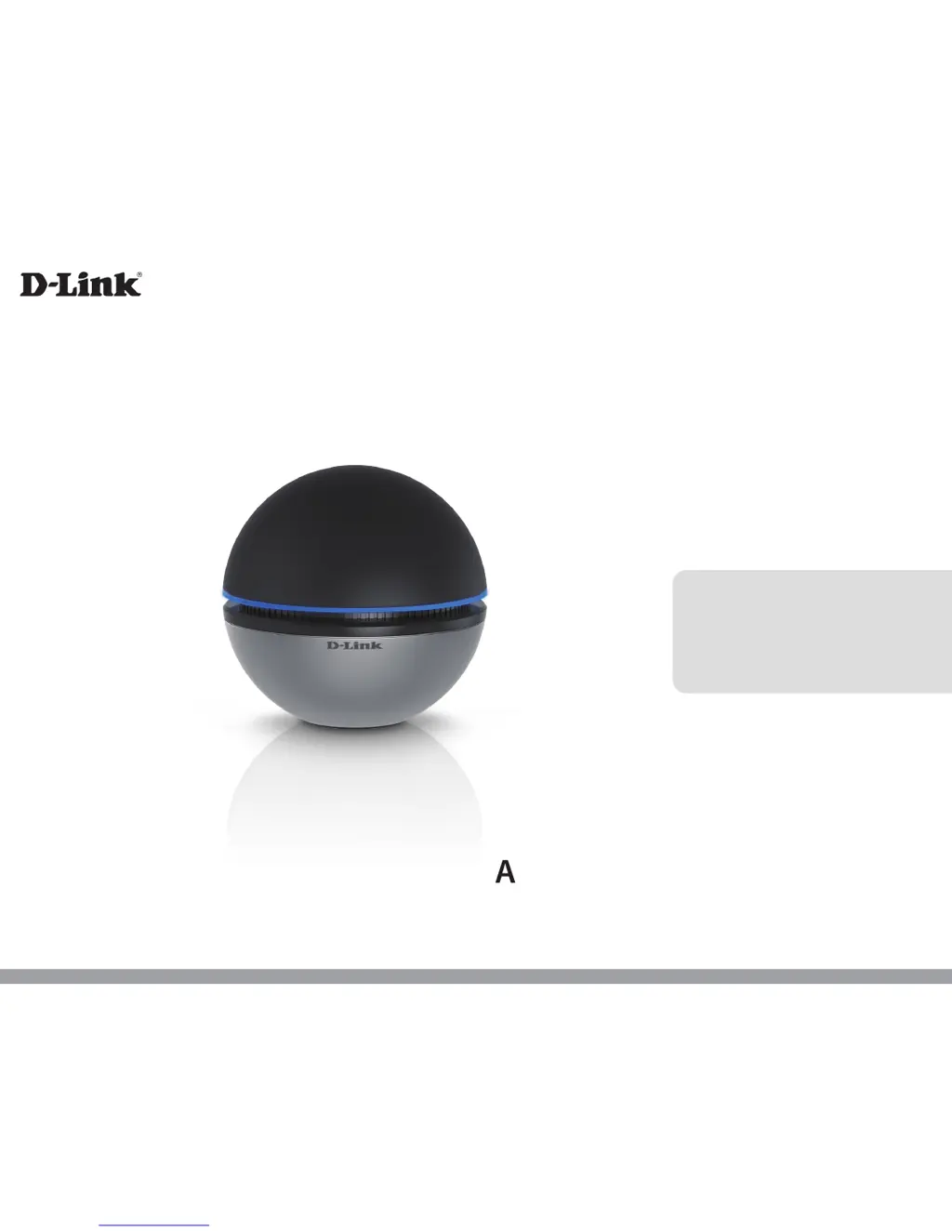
DWA-192
User Manual
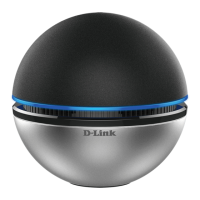
AC1900 Wi-Fi USB 3.0 Adapter
Version 1.3 | 05/05/2016

Other manuals for D-Link DWA-192

Questions and Answers

  • K
    Kimberly NavarroJul 27, 2025
    What to do if D-Link Adapter DWA-192 can't connect to the internet?
    • E
      Emma RogersJul 27, 2025
      If your D-Link DWA-192 adapter can't connect to the internet, verify the following: * Check the LED indicators on your broadband modem for normal activity, as there may be a problem with the broadband connection. * Ensure the LED indicators on the wireless router are working. Check that the AC power and Ethernet cables are firmly connected. * Confirm that the IP address, subnet mask, gateway, and DNS settings are correctly entered for the network. * Make sure the Network Connection for the wireless client is properly configured and that AP (Infrastructure) is selected when connecting to an access point. * If security is enabled, verify that the correct encryption keys are entered on both the DWA-192 and the access point.
  • C
    Christine CamachoAug 2, 2025
    Why my computer doesn't recognize D-Link Adapter DWA-192?
    • J
      Joseph AriasAug 2, 2025
      If your computer isn't recognizing the D-Link DWA-192 Adapter, ensure it's properly seated in the computer’s USB port. If Windows doesn't detect the hardware after inserting the adapter, completely remove any previously loaded drivers.
  • S
    Steve CopelandAug 8, 2025
    How to configure Network Connection for D-Link DWA-192 Adapter?
    • A
      Ashley YatesAug 8, 2025
      To properly configure the Network Connection for your wireless D-Link Adapter: * When connecting to an access point, select AP (Infrastructure). * If security is enabled, ensure that the correct encryption keys are entered on both the DWA-192 and the access point. * Check that the key selected is set to the same key as other devices on the network.
  • S
    Sherry LarsonAug 14, 2025
    What to do if computer does not recognize D-Link DWA-192 Adapter?
    • T
      teresachavezAug 14, 2025
      If your computer does not recognize the D-Link DWA-192 AC1900 Wi-Fi USB 3.0 Adapter: * Make sure the adapter is properly seated in the computer’s USB port. * If Windows doesn't detect the hardware after inserting the adapter, completely remove any previously loaded drivers.
  • Y
    yjordanAug 20, 2025
    How to configure D-Link Adapter?
    • K
      Karen WoodardAug 20, 2025
      If your D-Link DWA-192 AC1900 Wi-Fi USB 3.0 Adapter isn't connecting, ensure the Network Connection for the wireless client is configured correctly. When connecting to an access point, select AP (Infrastructure). Additionally, if security is enabled, verify that the correct encryption keys are entered on both the DWA-192 and the access point.

Summary

Preface

Manual Revisions

Describes document revisions.

Trademarks

Lists intellectual property and copyright notices.

Product Overview

Package Contents

Lists items included in the box.

System Requirements

Specifies hardware and software needs for operation.

Introduction

Features

Hardware Overview

Installation

Getting Started

Pre-installation checks and preparation steps.

Remove Existing Installations

Instructions for uninstalling previous software.

Disable Other Wireless Adapters

Driver Installation

Wireless Installation Considerations

Connecting to a Wireless Network

Using Windows 10

Steps to connect using Windows 10.

Using Windows 8.1;Windows 8

Using Windows 7

Configuring Wireless Security

Troubleshooting

Adapter Installation Verification

Steps to verify adapter installation.

Wireless Basics

Who uses wireless?

Describes common user scenarios for wireless technology.

Where is wireless used?

Lists common locations and applications for wireless access.

Tips for Wireless Setup

Provides advice for installing and optimizing wireless networks.

Wireless Modes

Explains different wireless network configurations (Infrastructure, Ad hoc).

Networking Basics

Check your IP address

Steps to verify the assigned IP address using command prompt.

Statically Assign an IP address

Guide to manually configuring IP settings in Windows.

Technical Specifications

Regulatory Statements

European Community Declaration of Conformity

Declares product compliance with EU directives in multiple languages.

Wireless Radio LAN Usage in the European Community

Provides specific usage notes for wireless products in the EU.

Safety Instructions

Disposing and Recycling Your Product

D-Link DWA-192 Specifications

Operating Environment IconOperating Environment
operating temperature0 °C to 40 °C
operating humidity10% to 90% maximum (non-condensing)
frequency range2.4 GHz to 2.4835 GHz, 5.150 GHz to 5.850 GHz
Power IconPower
operating voltage5 V DC +/- 10%
current consumption880 mA
Weight and Dimensions IconWeight and Dimensions
weight167 grams
dimensions79.92 x 79.92 x 77 mm

Related product manuals