37D-Link DHP-W307AV User Manual
Section 3 - Configuration
MAC Address Filter
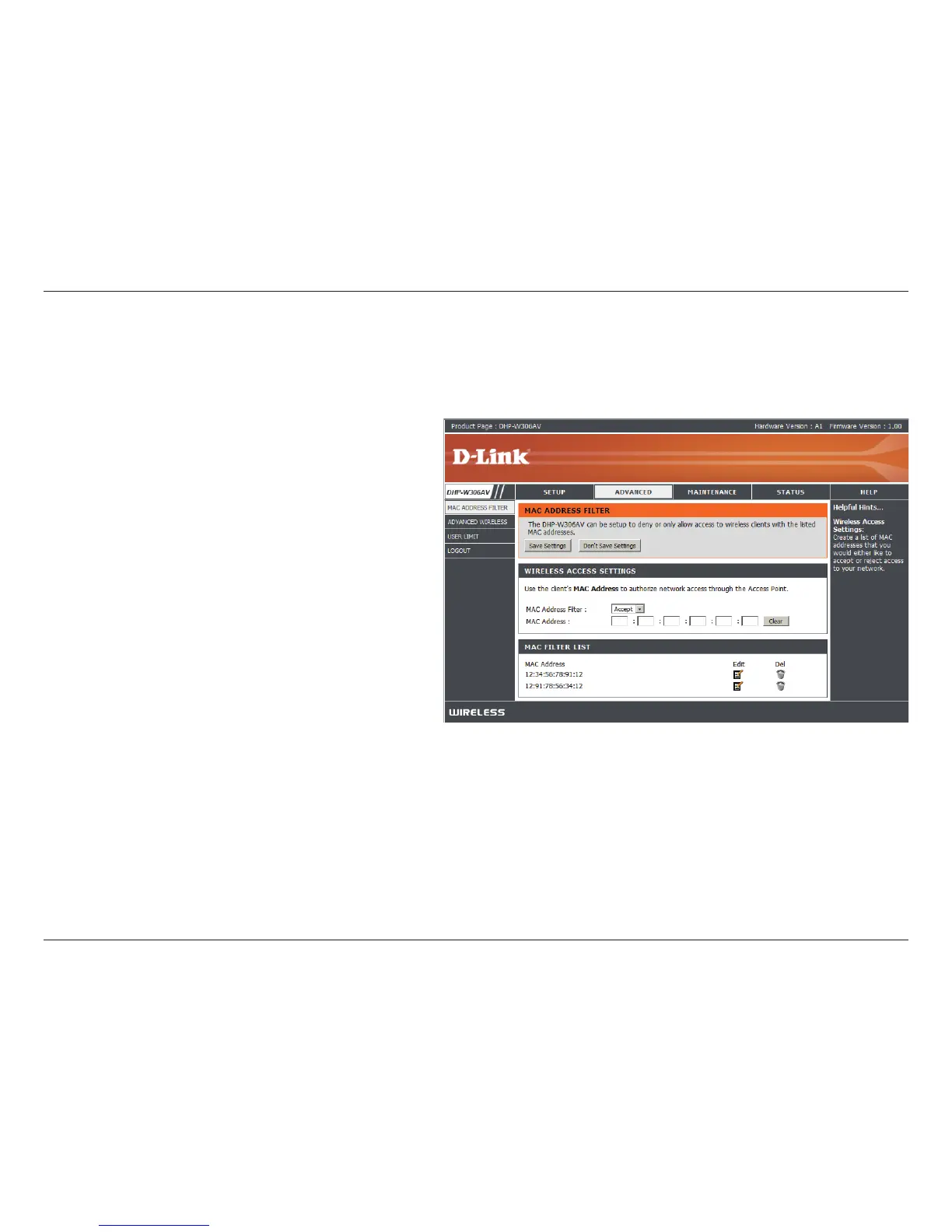
Select Enable or Disable from the drop-down
menu.
Enter the MAC address you would like to lter.
To nd the MAC address on a computer, please
refer to the Networking Basics section in this
manual. Click Save Settings to activate and
save.
Note: Make sure to enter the computer you
are currently using to congure the access
point rst or you will not be able to access
the conguration utility once you click Save
Settings.
Displays the list of clients in the lter list.
MAC Address
Filter:
MAC Address:
MAC Filter List:
Use MAC (Media Access Control) Filters to authorize wireless clients to access your network by their MAC addresses.
When enabled, any client not on the MAC lter list will not be able to access your network.


 To Next Page