65D-Link DIR-280 User Manual
Section 9 - Setting Up a Connection Wirelessly
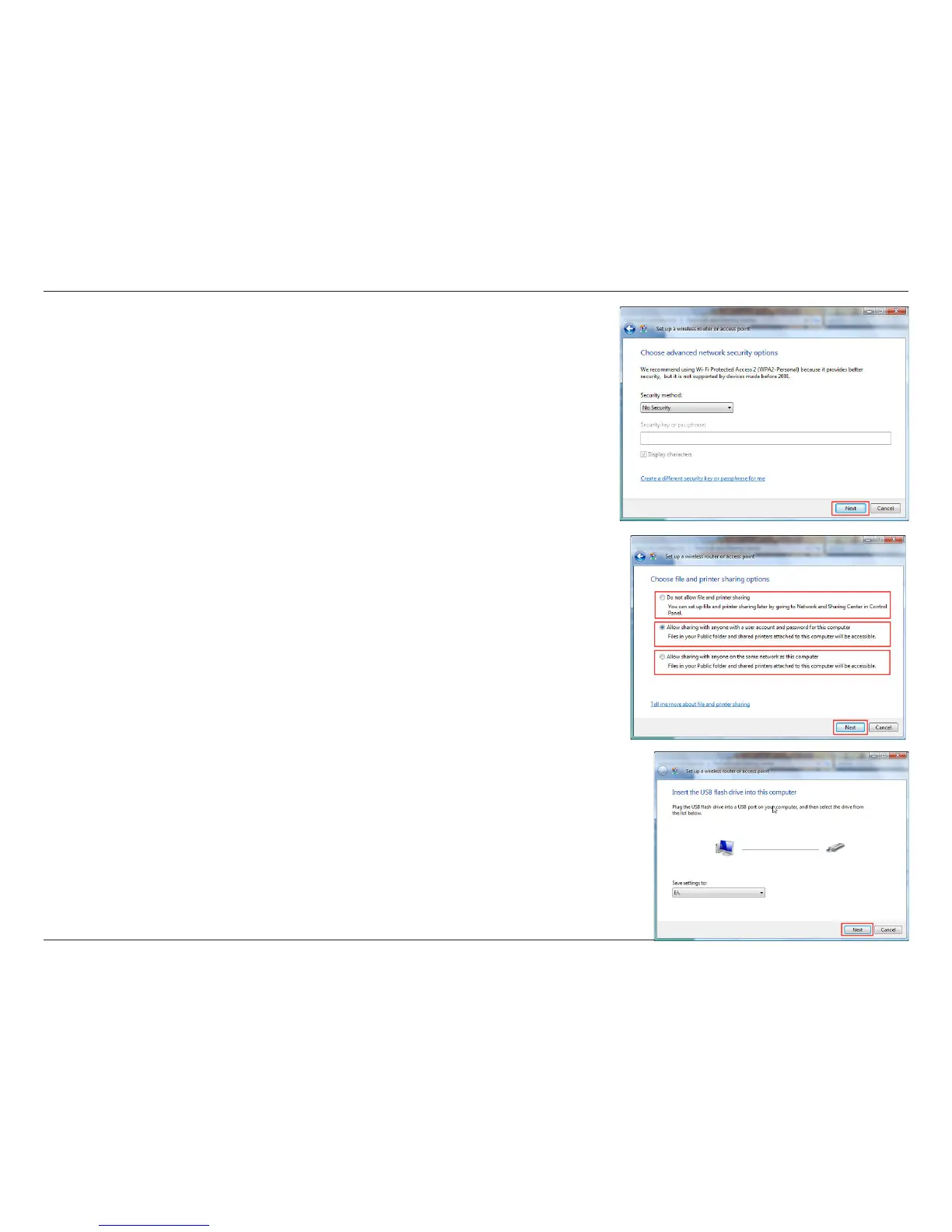
9. Once you have selected the desired security method on the Choose
advanced network security options window in the Set up a wireless
router or access point wizard, click the Next button.
10.Select the desired le and printer sharing option on the Choose le and
printer sharing options window in the Set up a wireless router or access
point wizard. Click the Next button.
11.Once you have saved your network settings to USB, use the pull-down
menu on the Insert the USB ash drive into this computer window in
the Set up a wireless router or access point wizard to select a destination
for your network settings. Click the Next button.


 To Next Page