67D-Link DIR-280 User Manual
Section 10 - Connecting to a Secured Wireless Network (WEP, WPA-PSK & WPA2-
Connecting to a Secured Wireless Network
(WEP, WPA-PSK & WPA2-PSK)
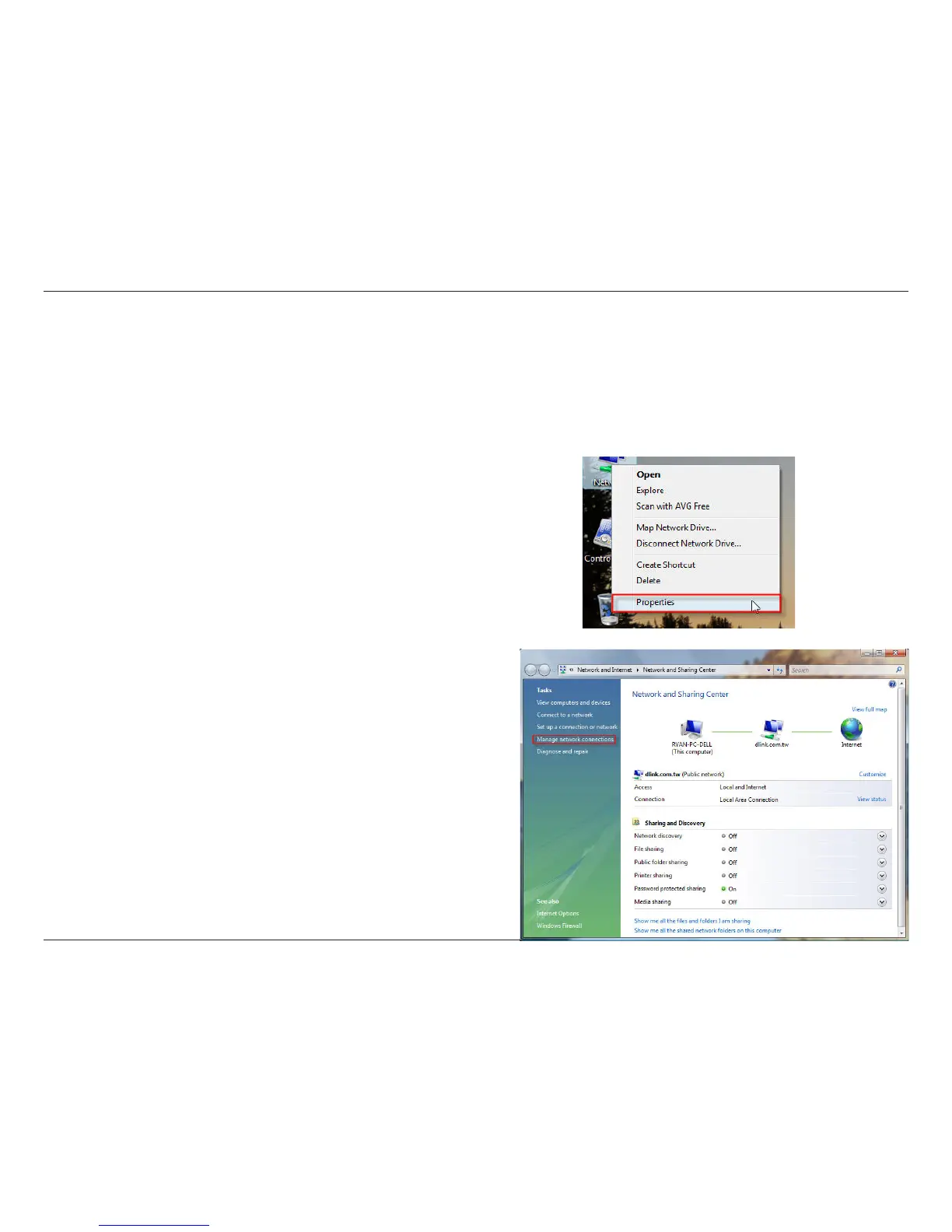
The following are step-by-step directions to set up a wireless connection.
2. Click the Manage network connections link in the Network
and Sharing Center window.
1. Click on Properties.


 To Next Page