6D-Link DIR-655 User Manual
Section 1 - Product Overview
LEDs
1
2
3
4
5
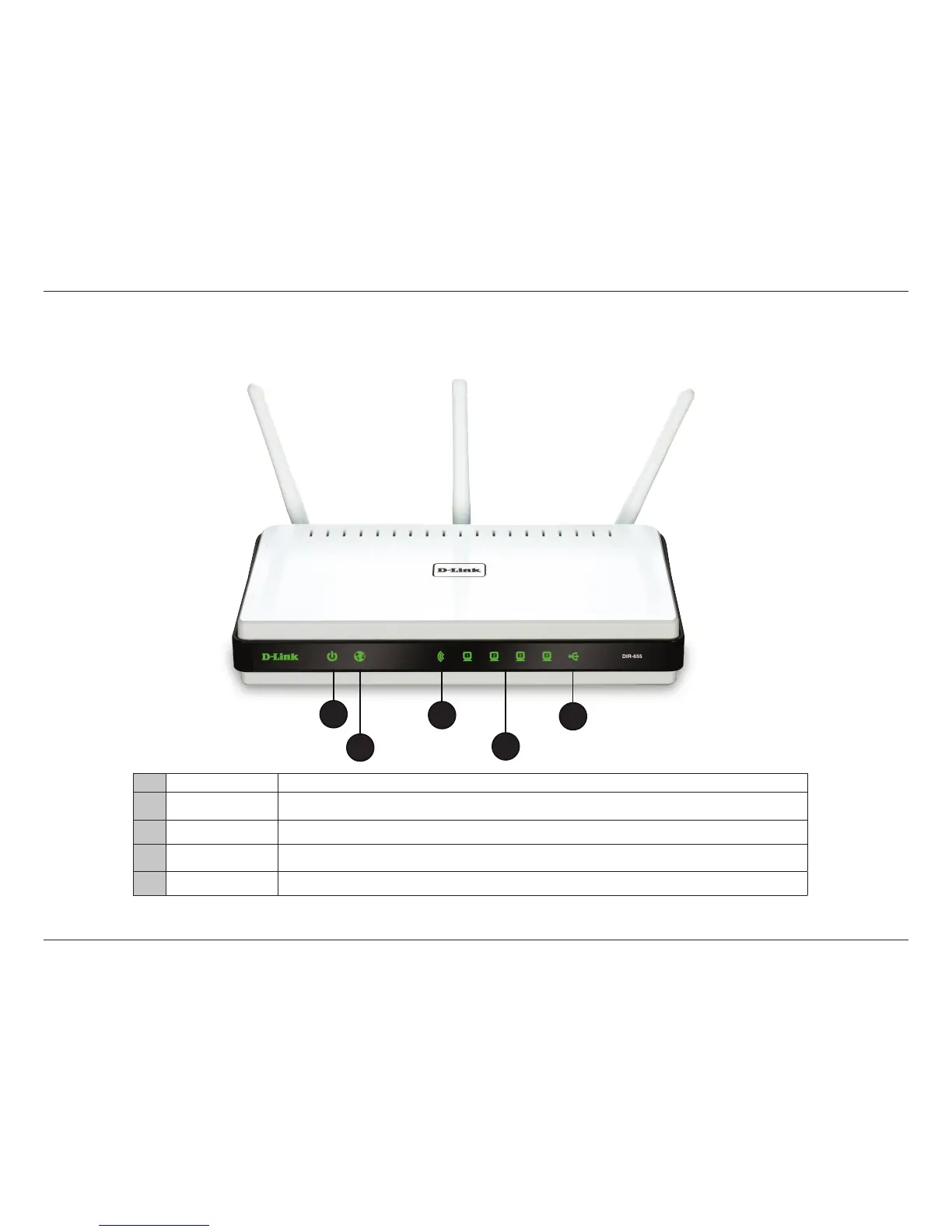
1 Power LED A solid light indicates a proper connection to the power supply.
2 Internet LED
A solid light indicates connection on the Internet port. This LED blinks during data transmission. A solid
blue light indicates that there is an Internet connection, an orange light indicates that there is none.
3 WLAN LED A solid light indicates that the wireless segment is ready. This LED blinks during wireless data transmission.
4 Local Network’s LED
A solid light indicates a connection to an Ethernet-enabled computer on ports 1-4. This LED blinks during
data transmission.
5 USB LED A solid light indicates a USB drive or a printer is plugged in.















 To Next Page