14D-Link DIR-655 User Manual
Section 3 - Conguration
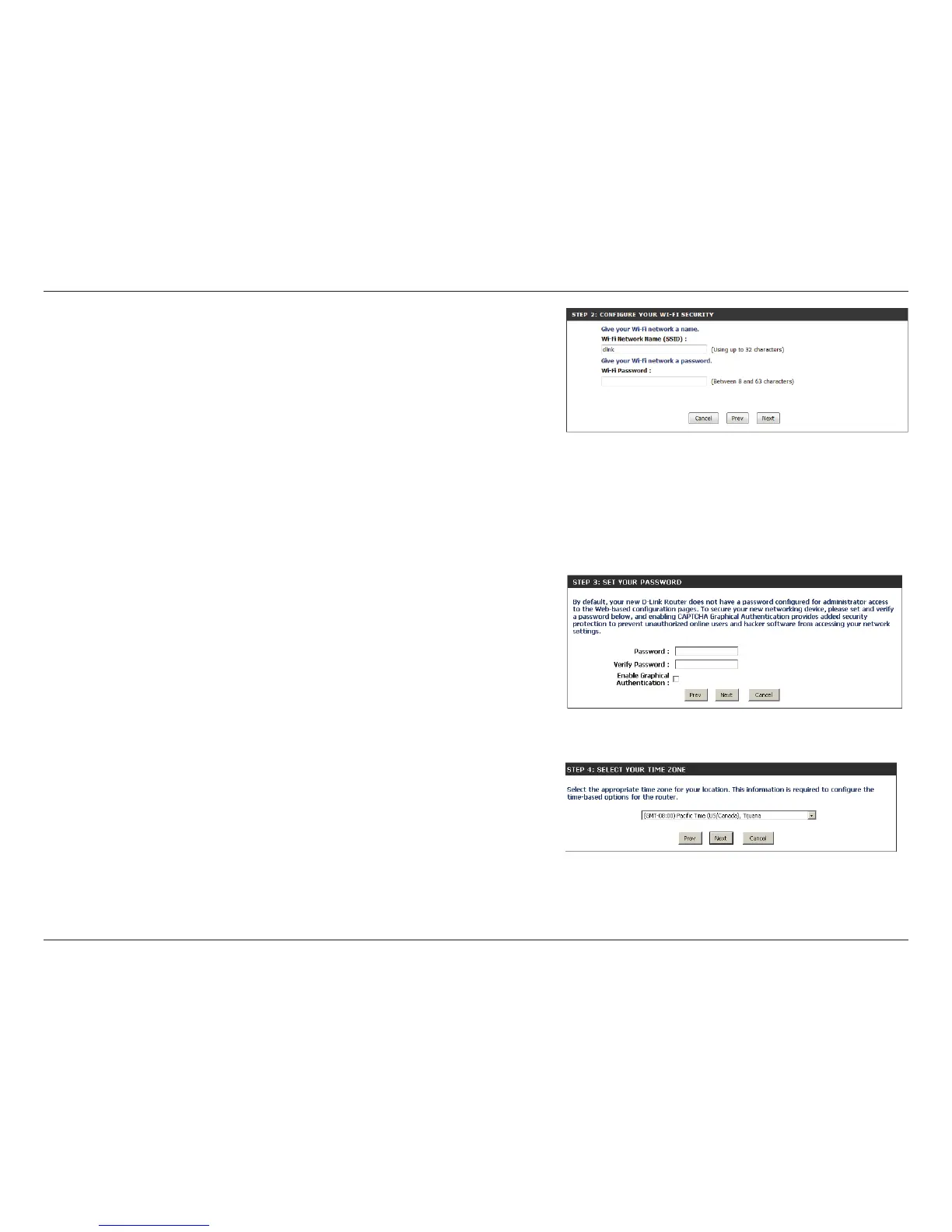
Create a wireless network a name (SSID) using up to 32 characters.
Create a wireless security passphrase or key (between 8-63 characters). Your
wireless clients will need to have this passphrase or key entered to be able to
connect to your wireless network.
Click Next to continue.
In order to secure your router, please enter a new password. Check the Enable
Graphical Authentication box to enable CAPTCHA authentication for added
security. Click Next to continue.
Select your time zone from the drop-down menu and click Next to continue.















 To Next Page