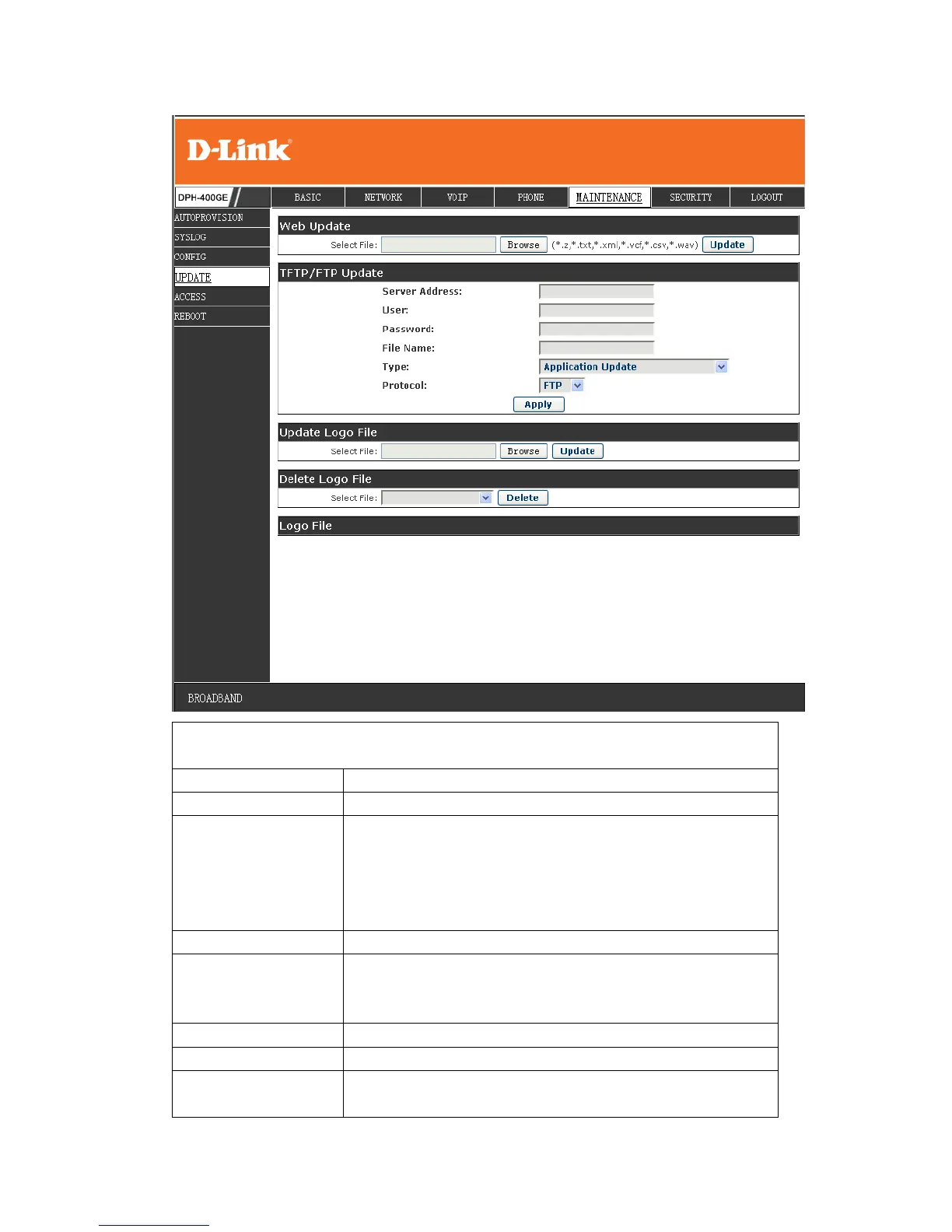
Click the browse button, find out the config file saved
before or provided by manufacturer, download it to the
phone directly, press “Update” to save. You can also
update downloaded update file, logo picture, ring,
mmiset file by web.
Set the FTP/TFTP server address for
download/upload. The address can be IP address or
Domain name with subdirectory.
Set the FTP server Username for download/upload.
Set the FTP server password for download/upload.
Set the name of update file or config file. The default
name is the MAC of the phone, such as


 To Next Page