Section 3 - Configuration
D-Link DSL-2740B User Manual
32
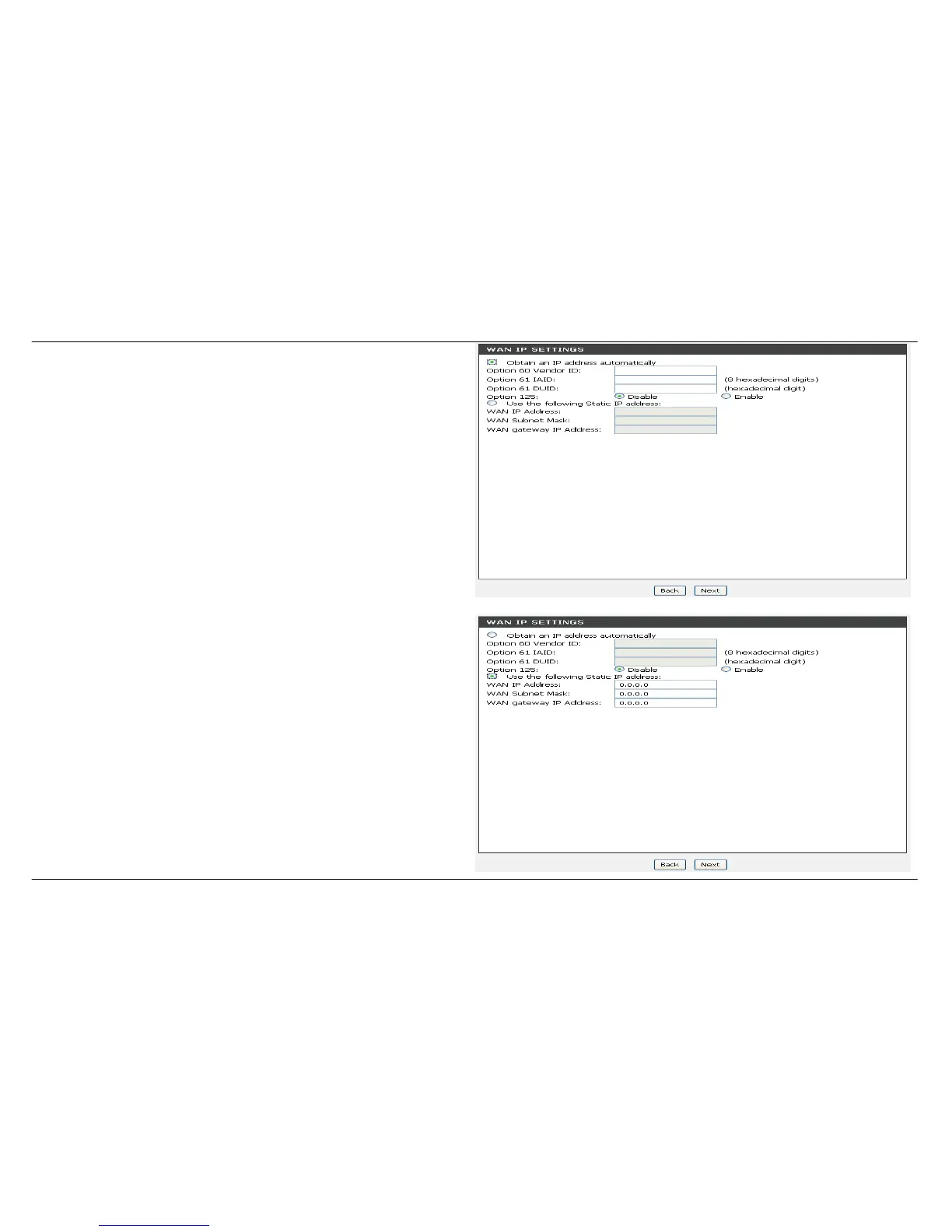
For MAC Encapsulation Routing (MER) connection –
Dynamic IP
After selection MER in page 30 for the connection type.
Select Obtain an IP address automatically.
Click on the Next button to go to the next window.
Please refer to page 34 NETWORK ADDRESS TRANSLATION
SETTINGS for the next step.
For MAC Encapsulation Routing (MER) connection –
Static IP
Enter the WAN IP Address, WAN Subnet Mask and Default Gateway
IP address provided by your ISP.
Click on the Next button to go to the next window.
Please refer to page 34 NETWORK ADDRESS TRANSLATION
SETTINGS for the next step.


 To Next Page
 Loading...














