Section 3 - Configuration
D-Link DSL-2750B User Manual
65
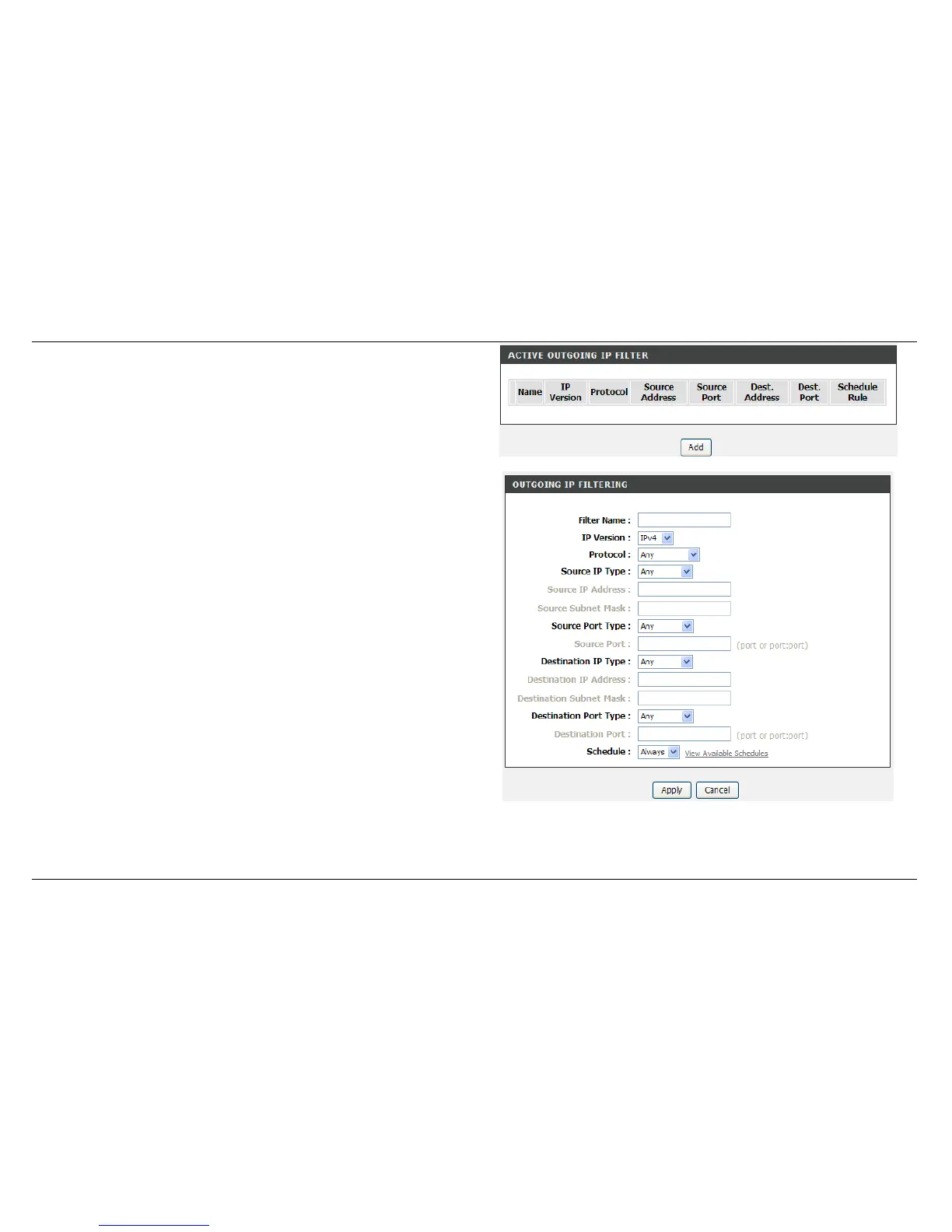
OUTBOUND IP FILTER
Press Add button to active outbound filter
Enter the Filter Name and specify at least one of the following criteria:
Protocol, Source/Destination IP address, Source/Destination Subnet
Mask, and Source/Destination Port.
Type Source IP address, Source Subnet Mask and Source Port(port or
port::port means from which port to which port)
Type Destination IP address, Destination Subnet Mask and
Destination Port(port or port::port means from which port to which port)
Set the Schedule: Always, Never, or View Available Schedules
Click Apply to save the settings.



 To Next Page