Section 3 - Configuration
D-Link DSL-2750B User Manual
66
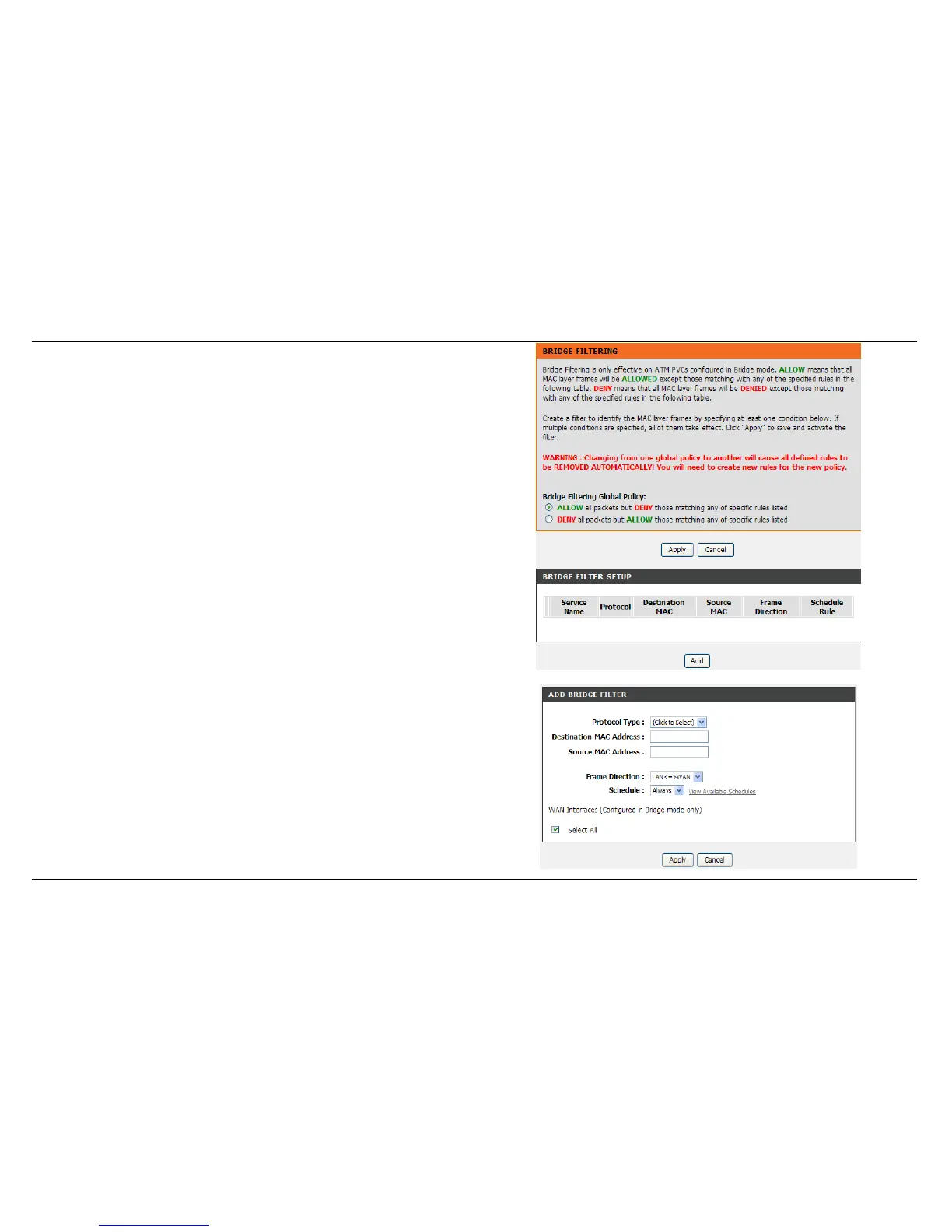
BRIDGE FILTERING
Press Add button to active BRIDGE FILTER SETUP
Select Protocol Type.
Input Destination MAC Address and Source MAC address,
Select Frame Direction, LAN <=>WAN or WAN => LAN or LAN => WAN
Set the Schedule: Always, Never, or View Available Schedules
Click Apply button to add the policy in the list.



 To Next Page