Section 3 - Configuration
D-Link DSL-2750B User Manual
70
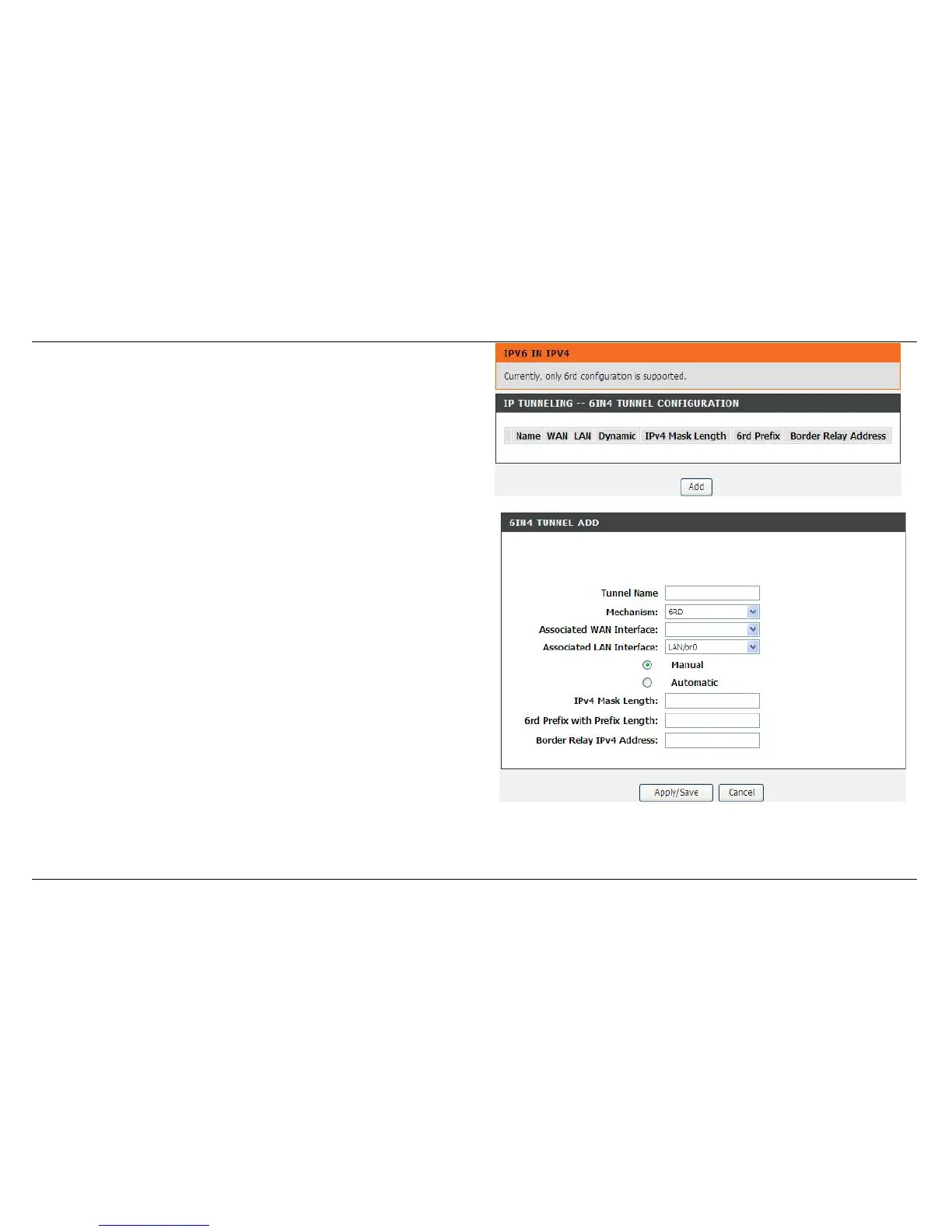
IPV6 IN IPV4
This function allows you to configure a 6IN4 tunnel, in which IPv6 host can
access IPv6 network via IPv4 network.
Note: Only 6RD is supported now.
Click Add to create a Tunnel, in which IPv6 packets are encapsulated in
IPv4.
Tunnel Name: Enter a name of the tunnel
Mechanism: Only 6rd is supported now.
Associated WAN Interface: It is the connection that you want to apply to
create the tunnel.
Notice: The WAN connection must support IPv6 service.
Associated LAN Interface: The tunnel that serves LAN sides. It must be
fully IPv6 enabled.
Manual/Automatic: It determines how to get 6rd configure elements.
Automatic means the elements got from DHCP option.
IPv4 Mask Length: The number of high-order bits that are identical
across all CE IPv4 addresses within a given 6rd domain. For example, if
there are no identical bits, IPv4 MaskLen is 0 and the entire CE IPv4
address is used to create the 6rd delegated prefix. If there are 8 identical
bits (e.g., the Private IPv4 address range 10.0.0.0/8 is being used),
IPv4MaskLen is equal to 8 and IPv4MaskLen RFC high-order bits are
stripped from the IPv4 address before constructing the corresponding 6rd
delegated prefix.
6rd Prefix with Prefix Length: The 6rd IPv6 prefix for the given 6rd
domain.
Border Relay IPv4 Address: The IPv4 address of the 6rd Border Relay
for a given 6rd domain.



 To Next Page