Section 3 - Configuration
D-Link DSL-2750B User Manual
71
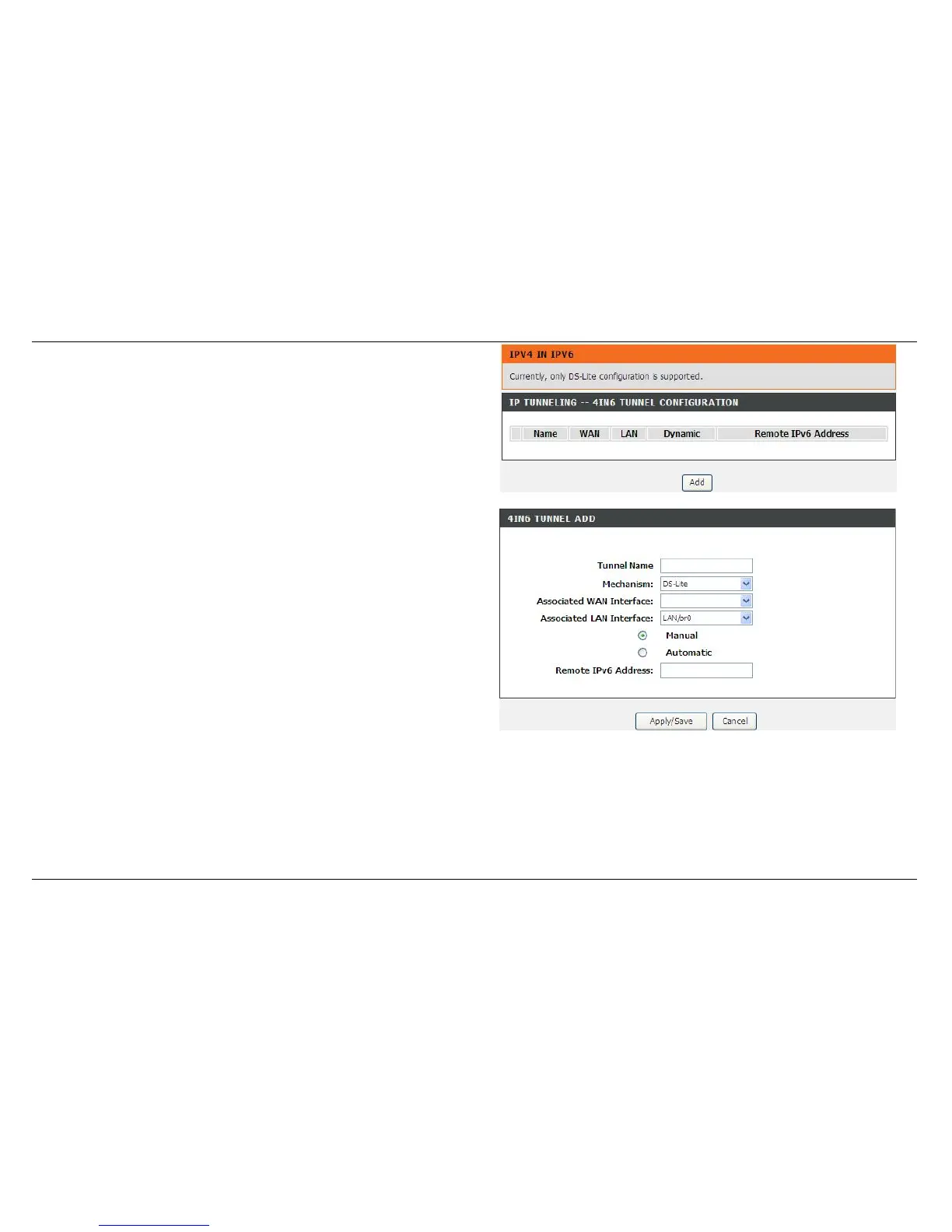
IPV4 IN IPV6
This function allows you to configure a 4IN6 tunnel, in which IPv4 host can
access IPv4 network via IPv6 network.
Click Add to create a Tunnel, in which IPv4 packets are encapsulated in
IPv6.
Note: Only DS Lite is supported now.
Tunnel Name: The name of the tunnel that you want to create.
Mechanism: Only DS Lite is supported now.
Associated WAN Interface: It is the WAN connection that you want to
apply to create the tunnel. Notice: The WAN connection must support
IPv6 service.
Associated LAN Interface: The tunnel that serves LAN sides, not used
yet.
Manual/Automatic: Determines how to get AFTR's IPv6 address.
Automatic means the address got from DHCPv6 option.
Remote IPv6 Address: AFTR's IPv6 address.
Click the Apply/Save button to apply settings.



 To Next Page