DSL-G2452GR AC1200 MU-MIMO Wireless Dual Band
VDSL2 Router with ADSL2+/3G/LTE/Gigabit Ethernet WAN
Support, 2 FXS Ports and USB Port
User Manual
Configuring via Web-based Interface
To edit the settings of the basic wireless network, in the Wi-Fi Network section, change the needed
parameters and click the APPLY button.
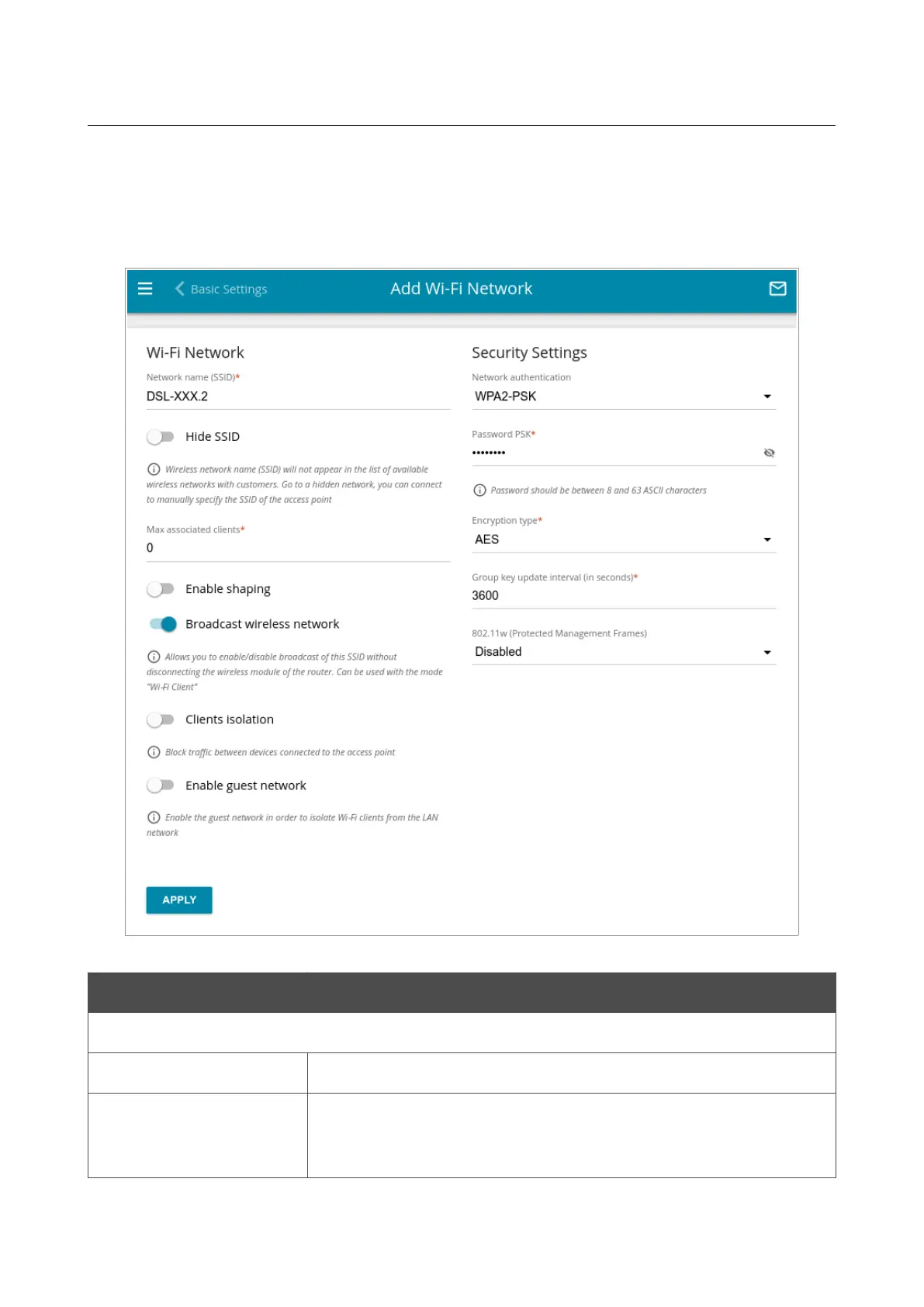
Also you can create an additional wireless network. To do this, click the ADD WI-FI NETWORK
button. On the opened page, specify the relevant parameters.
Figure 139. Creating a wireless network.
Parameter Description
Wi-Fi Network
Network name (SSID)
A name for the wireless network.
Hide SSID
If the switch is moved to the right, other users cannot see your Wi-Fi
network. It is recommended not to hide the network in order to
simplify initial configuration of the wireless network.
Page 176 of 358



 To Next Page