DSL-G2452GR AC1200 MU-MIMO Wireless Dual Band
VDSL2 Router with ADSL2+/3G/LTE/Gigabit Ethernet WAN
Support, 2 FXS Ports and USB Port
User Manual
Configuring via Web-based Interface
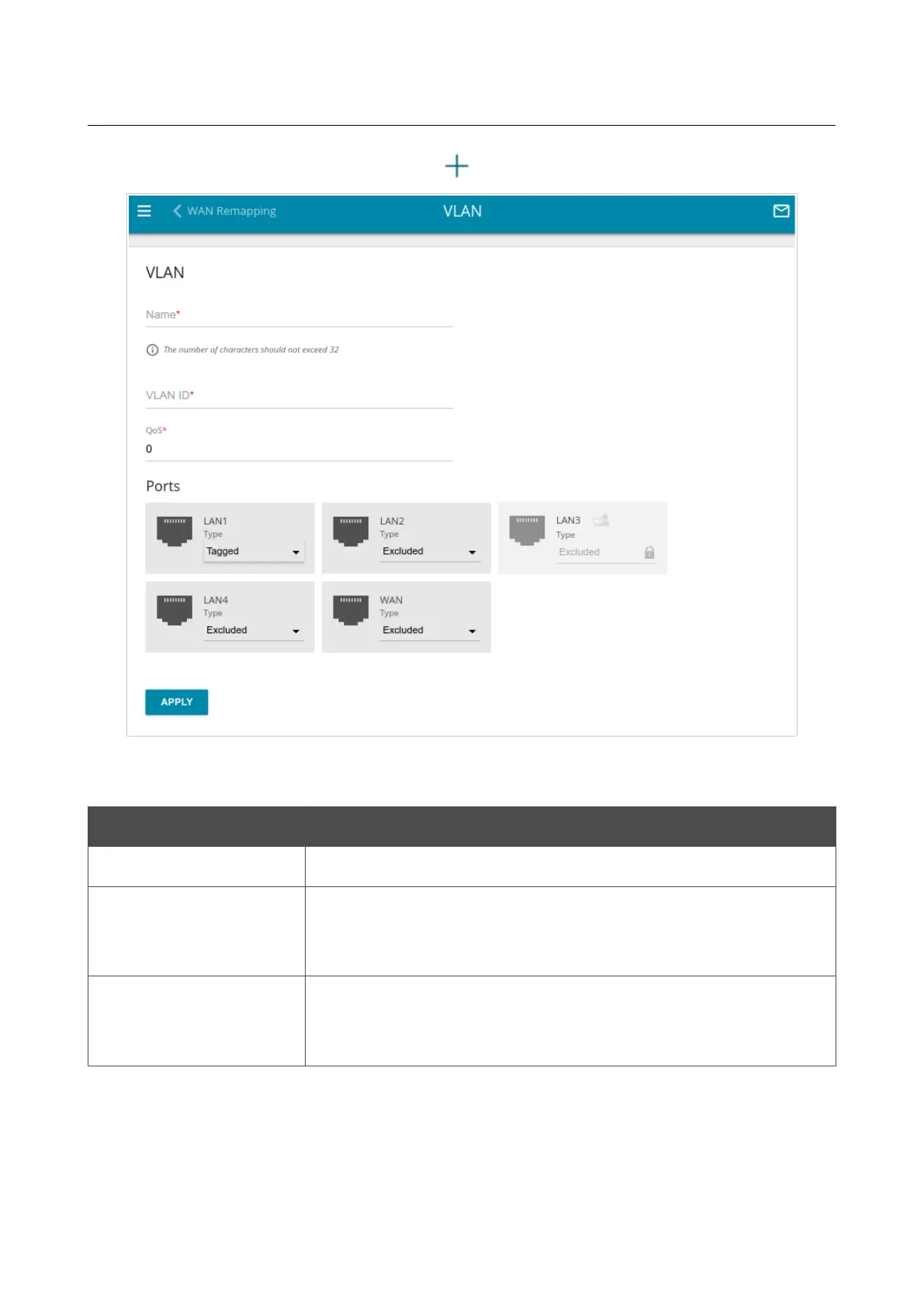
To create a new VLAN, click the ADD button ( ).
Figure 176. The page for adding a VLAN.
You can specify the following parameters:
Parameter Description
Name
A name for the VLAN for easier identification.
VLAN ID
An identifier of the VLAN. The field is displayed when the Tagged
value is selected from the Type drop-down list for the port included
in this VLAN.
QoS
A priority tag for the transmitted traffic. The field is displayed when
the Tagged value is selected from the Type drop-down list for the
port included in this VLAN.
Page 232 of 358



 To Next Page