Client Mode - Using the Setup Wizard
(continued)
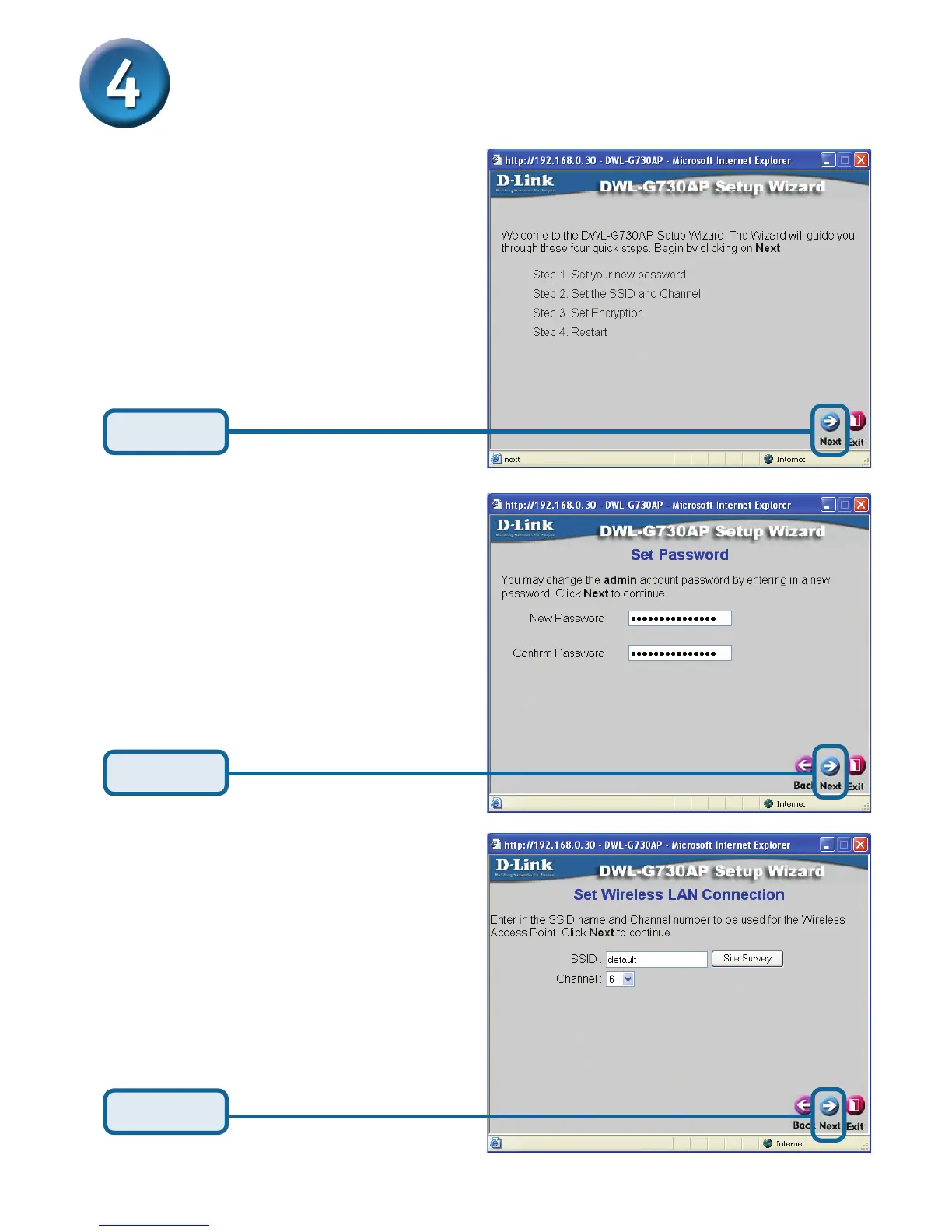
Click Next
Set up your new password.
You have the option to
establish a password.
Set Your Wireless LAN
Connection.
Type in your network’s SSID or
click on the Site Survey button
to see the available SSID’s.
Select the Channel setting of
your network.
Click Next
You will see the following screens.
Click Next



 To Next Page