Installation Overview
The DWL-G730AP offers three different operation modes:
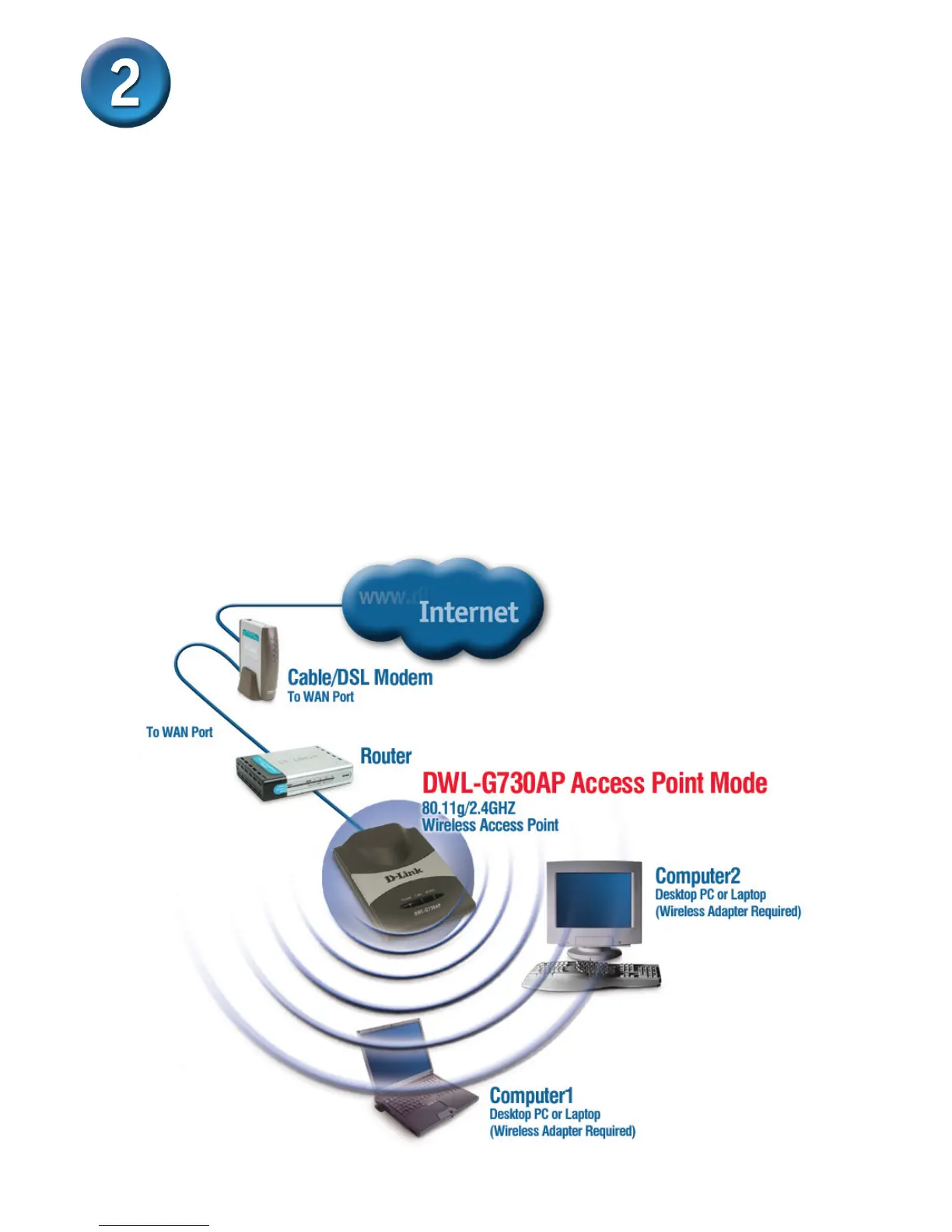
AP (Access Point Mode): In this mode, the DWL-G730AP functions as an access point.
Client (Client Mode): When Client mode is selected, the DWL-G730AP as a wireless
client.
RT (Router Mode): The DWL-G730AP functions as a router when this mode is selected.
AP - Access Point Mode
When the Mode Selection Switch on the bottom of the DWL-G730AP is set to AP,
the unit is in Access Point Mode. The diagram below illustrates a typical access
point conguration.
Note: D-Link
®
AirPlus G wireless devices are pre-congured to connect together,
right out of the box, using their default settings.



 To Next Page