Router Mode - Using the Setup Wizard
(continued)
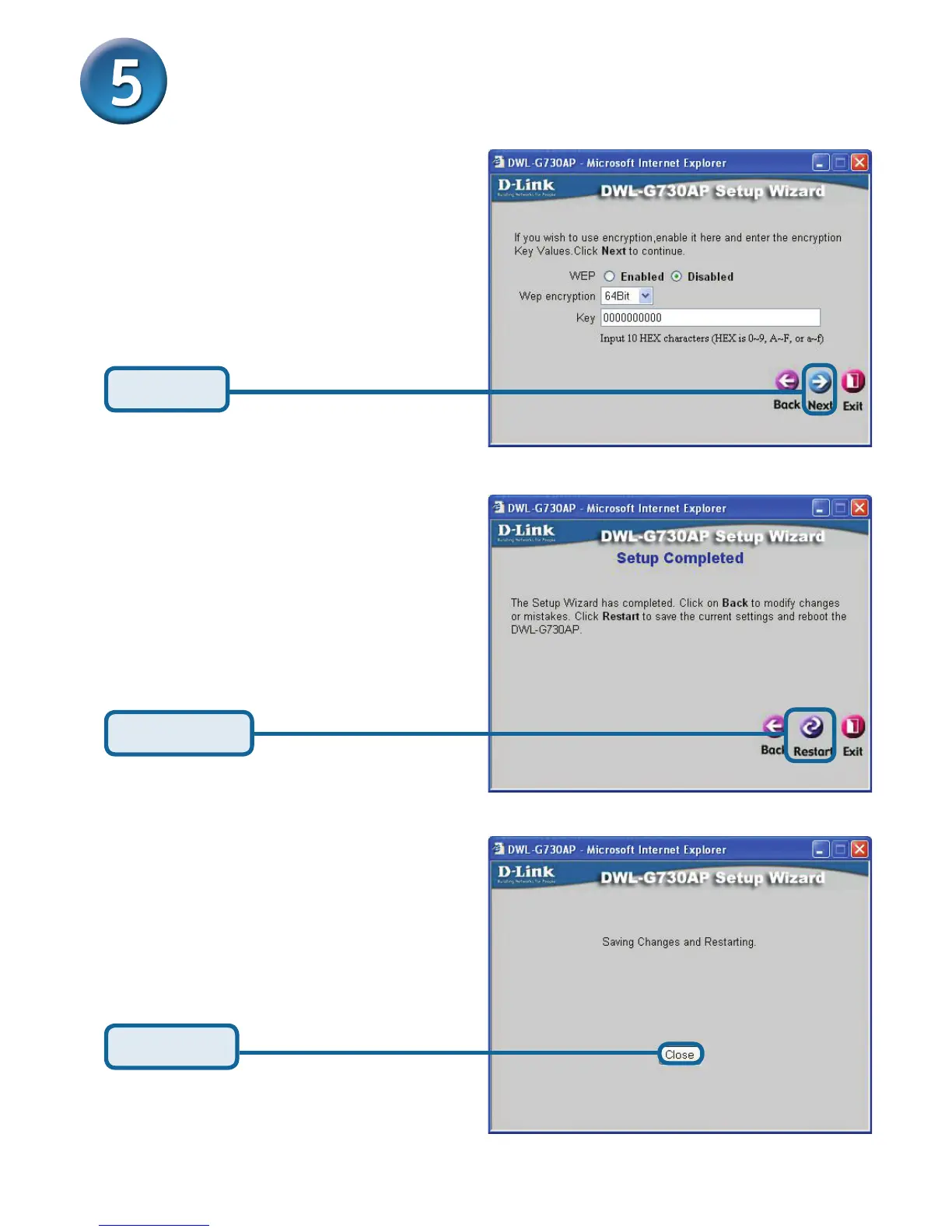
Encryption
The DWL-G730AP is capable of
two levels of wireless encryption
64-bit and 128-bit. By default
encryption is disabled. You
can change the encryption
settings for more secure wireless
communication.
Click Next
Click Restart
Click Close
The Router Setup Wizard is complete! You will be returned to the Home tab. Please
close all web browser windows.



 To Next Page