Encryption
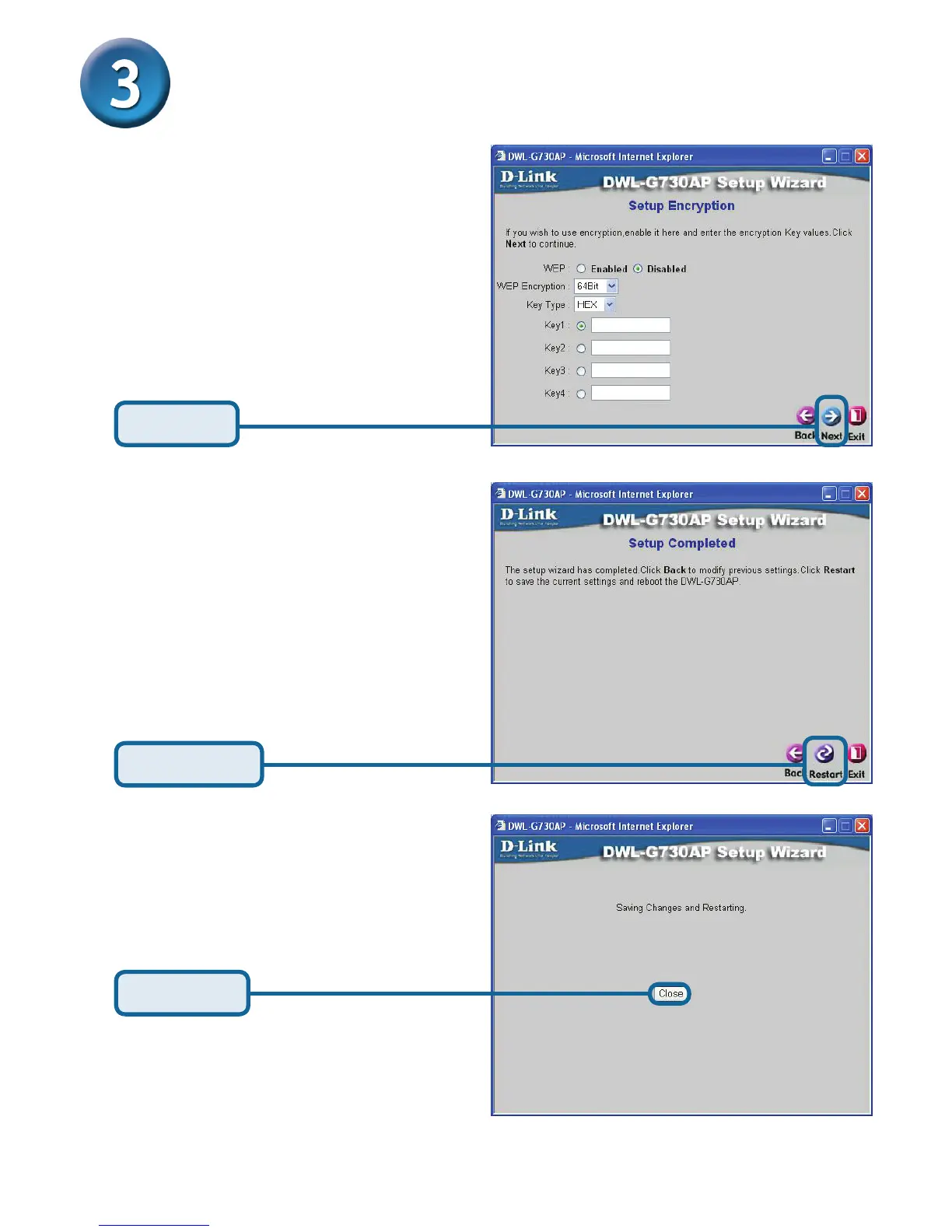
The DWL-G730AP is capable of
two levels of wireless encryption
64-bit and 128-bit. By default
encryption is disabled. You
can change the encryption
settings for more secure wireless
communication.
Click Next
Click Restart
AP Mode - Using The Setup Wizard
(continued)
Click Close
The AP Setup Wizard is complete! You will be returned to the Home tab. Please close
all web browser windows.



 To Next Page