38D-Link DWR-116 User Manual
Section 3 - Conguration
MAC Address Filter
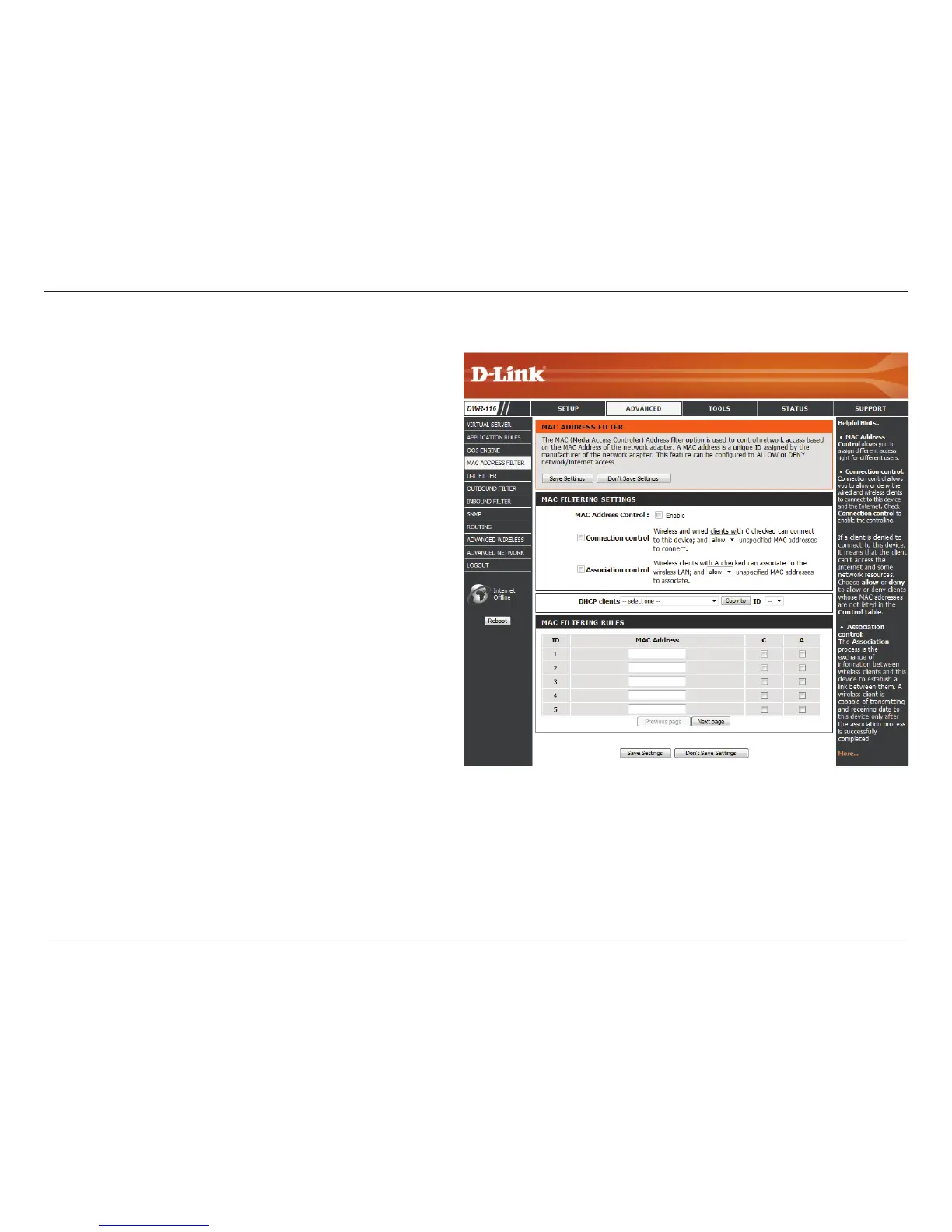
Select this box to enable MAC ltering.
Wireless and wired clients with C selected
can connect to this device and allow/deny
connections from unspecied MAC addresses.
Wireless clients with A selected can associate to
the wireless LAN; and allow/deny connections
from unspecied MAC addresses.
Identies the rule.
Specify the MAC address of the computer to be
ltered.
Specify the last section of the IP address.
Click Trigger to congure Wake On LAN.
If this box is selected, the rule will follow the connection control setting specied in MAC ltering settings.
If this box is selected, the rule will follow the connection control setting specied in MAC ltering settings.
Click Save Settings to save your changes, or click Don’t Save Settings to discard your changes.
MAC Address
Control:
Connection
Control:
Association
Control:
ID:
MAC Address:
IP Address:
Wake On LAN:
C:
A:
The MAC (Media Access Controller) Address Filter option is used
to control network access based on the MAC Address of the network
adapter. A MAC address is a unique ID assigned by the manufacturer
of the network adapter. This feature can be configured to ALLOW or
DENY network/Internet access.



 To Next Page